YITH WooCommerce Barcodes and QR Codes Premium
- Type
- Plugin
- Licence
- GNU GPL
- Delivery
- Instant download
- Access
- 12 months, or lifetime
- Sites
- Unlimited
What the plugin does
Generate and apply barcodes and QR codes to your products automatically.
How you can benefit from it:
- You will generate and integrate barcodes on the products of your e-commerce automatically and quickly;
- Thanks to the barcode scan, you will improve the management of your e-commerce order statuses, stock, etc. Everything will be easier and faster;
- Get a printable list of all barcodes to create stickers for your physical products;
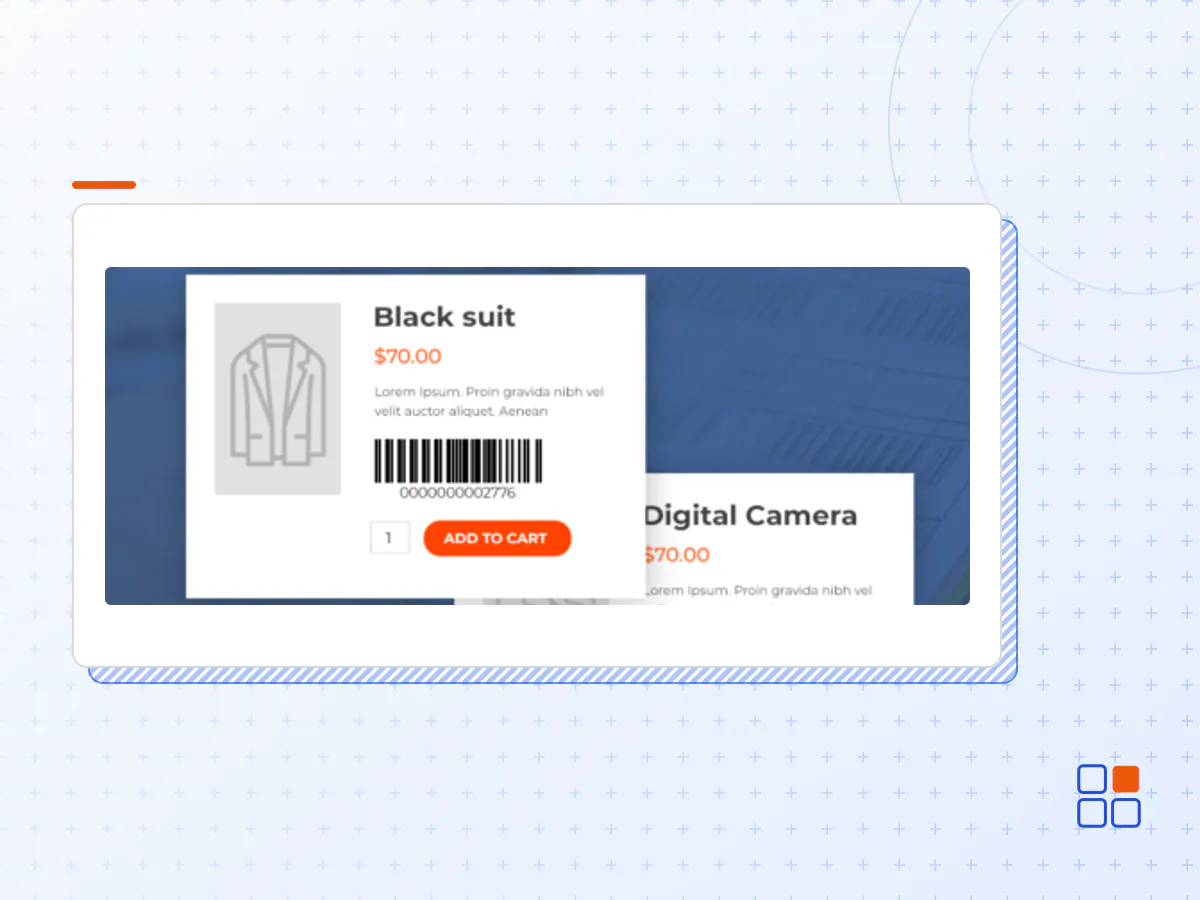
- Show the barcodes on the product pages;
- Allow your users to search by barcode to easily find what they are looking for;
- Integrate with Point Of Sale for quick checkout of physical products.
A barcode is an encoding tag or label that is placed on all products that allow computers, scanners and mobile devices to track and find these products much faster. Using barcodes is important in your inventory tracking process and offers countless benefits for your company and your customers. The main benefit is that barcodes eliminate the possibility of human error: the amount of errors with manually entered data is high, but scanning a barcode is fast, reliable, and by all means less time-consuming.
Another great advantage of barcodes is that you can print your barcodes (with the printer you have at home) and in a few minutes your entire inventory will be labeled and tracked. You don’t have to pay a lot, buy special printers or waste time. Easy, quick and cheap. YITH WooCommerce Barcodes and QR Codes allows you to generate and read barcodes and QR codes. They are automatically generated both on products and on orders. You can set a specific action whenever you scan a code (decrease or increase stock, change order status…) to automate and speed up your workflow without any mistakes.
Generate and apply barcodes and QR codes to orders and products
Add pre-printed codes manually or generate a code on every order and product page automatically.
Apply barcodes or QR codes
Choose the format to generate the codes and select one of the most common protocols on the market
Save time and generate barcodes for all your products with just one click
If you install the plugin and you have a catalog with hundreds of products without a barcode, you can generate the codes and apply them automatically in one click.
Show the barcode on the product page
Choose whether to show the barcode on the product detail page or not.
Show barcodes in order emails
Choose whether to show the barcode in the order emails that are sent to the customers or not.
Use the barcode/QR code to search for a product and manage the stock
Use the built-in shortcode to create a search page to quickly find your products. From this page, you will be able to manually increase or decrease the stock without having to access the backend and enable an advanced option to automatically edit the stock every time you scan a barcode/QR code using a code reader.
Use the barcode/QR code to search for an order and edit the status
Use the dedicated shortcode to create a page to find the orders placed in your store. From this page, you will be able to quickly edit the status of an order without having to access the backend.
Get a printable list of barcodes
Download a printable PDF file with a list of all the products in your shop. Alternatively, you can also print the same product barcode multiple times.
- The YITH WooCommerce Barcodes and QR Codes plugin archive (.zip), exactly as the developer released it.
- Uploads straight from the WordPress dashboard — no FTP or extra tools needed.
- GPL licensing: install it on every site you manage, client sites included.
- A year of downloads and newer versions with a single purchase, or permanent access with the lifetime upgrade.
- Also unlocked by every membership plan, together with the rest of the plugin catalogue.
Not included
- A licence key from the developer — features that run on the developer's own servers (cloud services, vendor auto-updates, vendor support) may be unavailable.
How to install YITH WooCommerce Barcodes and QR Codes
- 1Download YITH WooCommerce Barcodes and QR Codes from Downloads in your account. Keep the file zipped.
- 2In your WordPress dashboard open Plugins → Add New Plugin and click Upload Plugin.
- 3Choose the .zip, click Install Now, then Activate.
- 4Open the YITH WooCommerce Barcodes and QR Codes settings screen and configure it for your site.
- 5If a notice asks for a licence key you can dismiss it; the plugin itself runs without one.
To update later, download the newer version from your account and upload it the same way — WordPress offers to replace the installed copy and keeps your settings.
Is this the developer's original YITH WooCommerce Barcodes and QR Codes file?
Yes. The archive is the release the developer published, with nothing added or removed. It is distributed under the GNU GPL, which is what allows WordPress GPL to offer it; you are buying the download and updates, not a licence key from the vendor.
Can I use YITH WooCommerce Barcodes and QR Codes on client websites?
Yes. The GPL places no limit on the number of sites, so you can install it on your own projects and on sites you build for clients.
How do I get newer versions of YITH WooCommerce Barcodes and QR Codes?
When a newer release reaches our catalogue it replaces the file in your account, and you can request one from this page if you need it sooner. A single purchase covers a year of downloads (or longer with the lifetime upgrade); a membership covers updates while it is active.
Does it come with support from the developer?
No — vendor support is tied to a licence bought from the developer. We help with downloading and installing the file, and if it turns out to be broken you can ask for a refund within 14 days.