YITH WooCommerce Added to Cart Popup
- Type
- Plugin
- Category
- WooCommerce Plugins
- Licence
- GNU GPL
- Delivery
- Instant download
- Access
- 12 months, or lifetime
- Sites
- Unlimited
A hands-on solution to improve your shop usability and boost up-selling
A customer that adds a product to the cart may experience a quite annoying and useless waiting time before being able to check out and finalize the purchase. Thanks to this plugin’s functionalities, the purchase process will be streamlined and become much easier and faster for your users.
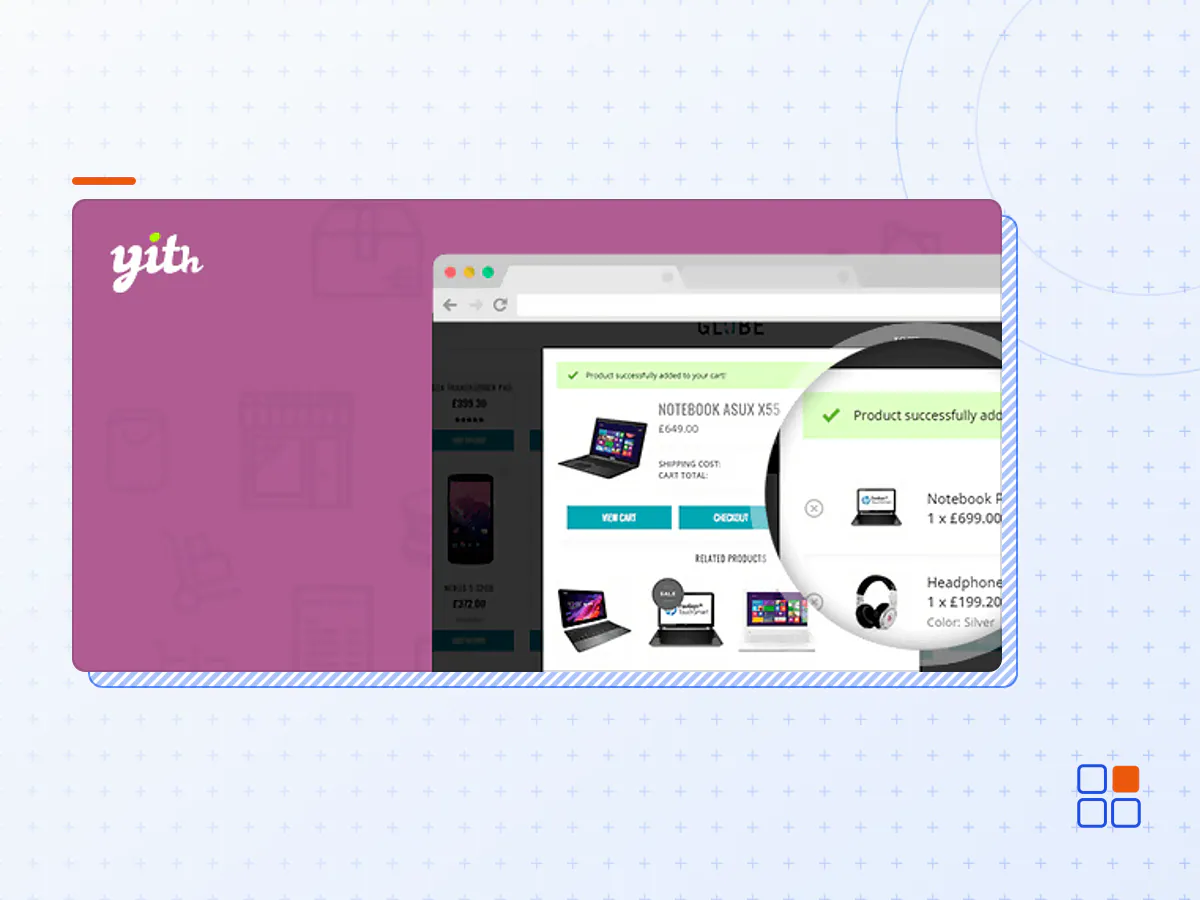
YITH WooCommerce Added to Cart Popup allows you to show a popup window every time the customer adds a new product to the cart to see the updated cart content. On one hand, this helps customers have a clear view of what they are going to purchase and, on the other hand, this encourages them to keep browsing the site to buy more products.
Thanks to this plugin, you can also increase the average order value by promoting the related products in the popup window through a solid and efficient up-sell and cross-sell strategy.
Show the popup window on all or on specific products
Choose whether to show the popup for every product added to the cart or only when specific products are added – thanks to the built-in Exclusion List.
Choose on what pages to display the popup
You can choose to show the popup window when the customer adds the product to the cart from the shop or category pages, only if the product is added from the product page, or alternatively, you can choose to always show the popup, regardless of what page your user is on.
Choose whether to show the full cart content or only the product that has been just added
Choose whether to show only the details of the product that has been added to the cart or the content of the whole cart in the popup window.
Customize the graphic appearance of the popup
From overlay color to popup background, border radius to text color, from sizes to animation effect: you can customize every single aspect of your popup and adapt it to your own needs and your store’s look.
Customize the “Added to cart” message
Set a custom text, and the default icon size, color, and position, or upload a custom icon of your choice: you will find many options to customize the message that tells the user that the product has been successfully added to the cart.
Customize the product table
Customize the product name and price, choose whether to show the product image and set the thumbnail size. You can also show the product variation details (like size, color, and so on) and much more.
Customize the totals section
Choose whether to show tax, shipping costs, and the cart total. Additionally, you can customize all the colors of this section.
Choose how many buttons to show and customize their style
For the popup, you can choose whether or not to show the “View cart” button (redirecting users to the cart page), the “Proceed to Checkout” button (redirecting users to the checkout page), and the “Continue shopping” one (that closes the popup and lets them keep browsing products). For every button, you will be able to customize text and colors.
Show an up-sells section and customize the related options
If you want to, you can also include an up-sell section in the popup window. You can set up the number of products to show and which type: up-sells, cross-sells, or related products – the plugin will automatically select which products will be displayed based on the products in the cart. Alternatively, you can pick specific products of your choice and make sure these are always displayed.
Show a mini floating cart and customize its style and its position on the screen
The plugin comes also with a mini floating cart that can replace the default cart icon available in most themes’ headers. You can choose where it appears on the screen and customize its style details, from the background color to the icon displayed.
100% mobile friendly: show the popup and the mini cart also to users who purchase from mobile devices
The plugin is 100% mobile friendly and works great also on mobile resolutions. If this works better for you, you can choose to disable both features and make sure that the popup and the floating mini cart are not visible to customers who buy from a smartphone or a tablet.
- The YITH WooCommerce Added to Cart Popup plugin archive (.zip), exactly as the developer released it.
- Uploads straight from the WordPress dashboard — no FTP or extra tools needed.
- GPL licensing: install it on every site you manage, client sites included.
- A year of downloads and newer versions with a single purchase, or permanent access with the lifetime upgrade.
- Also unlocked by every membership plan, together with the rest of the plugin catalogue.
Not included
- A licence key from the developer — features that run on the developer's own servers (cloud services, vendor auto-updates, vendor support) may be unavailable.
How to install YITH WooCommerce Added to Cart Popup
- 1Download YITH WooCommerce Added to Cart Popup from Downloads in your account. Keep the file zipped.
- 2In your WordPress dashboard open Plugins → Add New Plugin and click Upload Plugin.
- 3Choose the .zip, click Install Now, then Activate.
- 4Open the YITH WooCommerce Added to Cart Popup settings screen and configure it for your site.
- 5If a notice asks for a licence key you can dismiss it; the plugin itself runs without one.
To update later, download the newer version from your account and upload it the same way — WordPress offers to replace the installed copy and keeps your settings.
Is this the developer's original YITH WooCommerce Added to Cart Popup file?
Yes. The archive is the release the developer published, with nothing added or removed. It is distributed under the GNU GPL, which is what allows WordPress GPL to offer it; you are buying the download and updates, not a licence key from the vendor.
Can I use YITH WooCommerce Added to Cart Popup on client websites?
Yes. The GPL places no limit on the number of sites, so you can install it on your own projects and on sites you build for clients.
How do I get newer versions of YITH WooCommerce Added to Cart Popup?
When a newer release reaches our catalogue it replaces the file in your account, and you can request one from this page if you need it sooner. A single purchase covers a year of downloads (or longer with the lifetime upgrade); a membership covers updates while it is active.
Does it come with support from the developer?
No — vendor support is tied to a licence bought from the developer. We help with downloading and installing the file, and if it turns out to be broken you can ask for a refund within 14 days.