ThemesWordPress Education & Books Themes
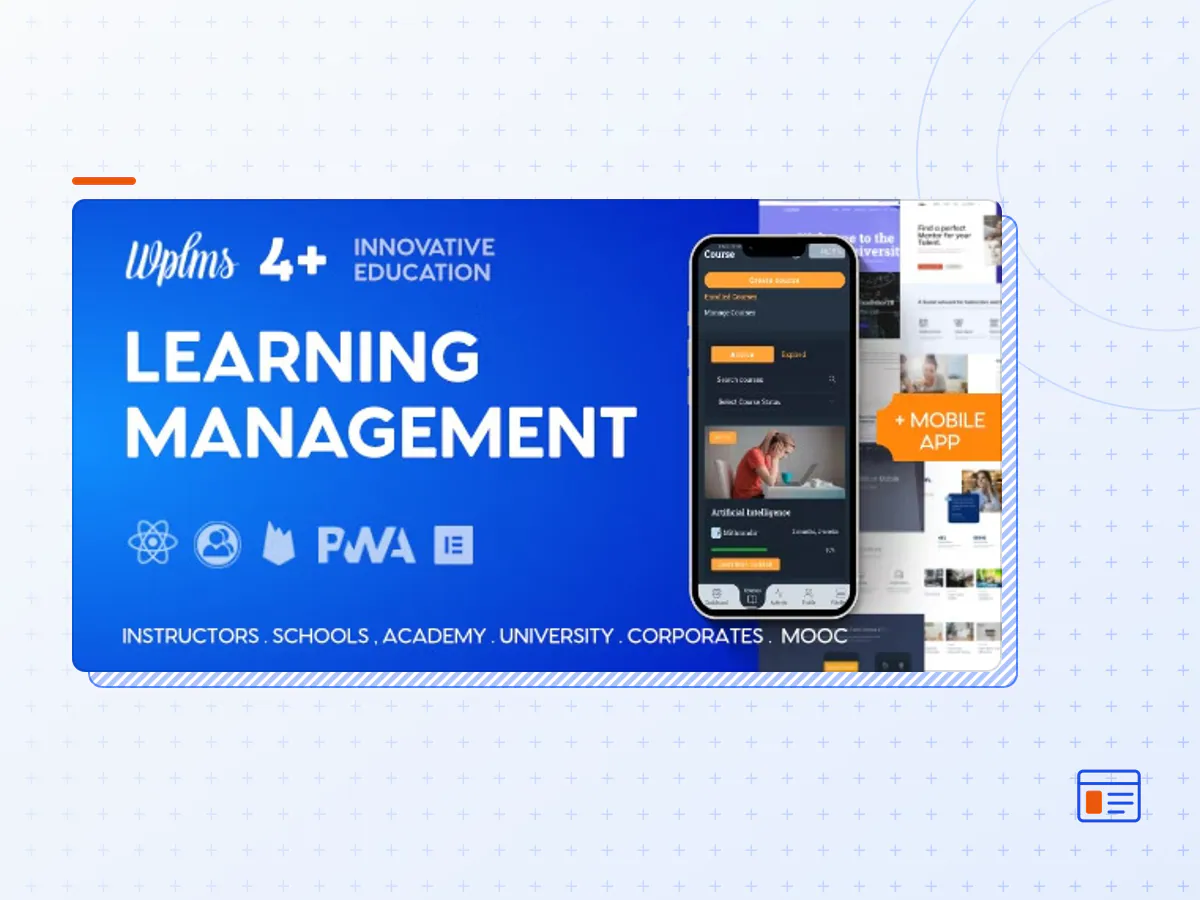
WPLMS Learning Management System for WordPress, Education Theme
- Type
- Theme
- Licence
- GNU GPL
- Delivery
- Instant download
- Access
- 12 months, or lifetime
- Sites
- Unlimited
WPLMS is a LMS for WordPress. You can easily create and manage your School, MOOC, Academy using WPLMS.WPLMS is a Progressive Web App which uses HeadLess WordPress with reactJS WordPress theme. Fortune 500 companies to several successful startup all around the world, with sites upto 1 million members.
Theme Features
Feature
Description
PWA
Progressive Web App . Allow users to install the Progressive web app.
Offline
Works offline even without internet based on cached data, images, videos* and more. Instant load speeds of 200ms !
Mobile, DeskTop/ Tablet App
One Click generation of App from within the Theme options panel. One App for Administrator, Instructors, Students and any custom role of your site.
Courses
Create courses in WPLMS. Include sections, units, quizzes, assignments with grading options.
Live Chat
Inbuilt Live Chat with other members online in the site.
Real Time Notifications
Notify users in realtime of the activities happening on site. Like : Student added to course, Instructor sends announcements etc.
Push Notifications
Push notifications even when offline (Safari iOS not supported as of now)
Course Layouts
Create Layouts in Elementor/Divi* for courses. Different layouts for courses of different categories or individual course layout also possible.
Activity
Activity Tracking of student. Categorised per course, quiz, assignment and other modules.
Reporting
Create customised reports, schedule reports, email reports. Standard reports per course, quiz exist.
Certificates
Design & Award your certificates. With Student, Instructor information with unique code validation.
Quizzes
Create Quizzes in WPLMS. 2 Types of quizzes – Static question set, Dynamically generate question set from a pool of questions. Supports, Manual evaluation, automatic evaluation and re-evaluation of quizzes.
Assignments
Create Assignments in WPLMS. Assignments are like homework, a problem statement and a manual evaluation. Users can upload assignments. Instructor Remarks & corrected uploads with marks.
Badges
Award badges on Course completion. Assign a badge image and a title.
Units
Create Units in WPLMS. Unit can comprise of Video, Audio, Documents, PDF, Text and
Sections
Create Sections in WPLMS. A section can comprise of units, quizzes, assignments.
Font End Course Creation
The powerful drag drop Course creation module for Instructors. Easy to use and all settings in 1 place.
Personal/Instructor Notes
Notes module for units. Students can save personal notes. Instructor can leave notes for students besides the content.
Discussions
Public discussions on Units in a course.
Ask Instructor
Students can ask questions and notify instructor to respond on the messages.
Bulk add Students
Bulk add students into courses.
Questions
Create Questions in WPLMS. 8 Type of questions. Match Answers, Sort Answers, Select Drop down, Fill in the Blank, Multiple choice single correct, Multiple choice multiple correct, Text and Essay type.
Questions Bank
Pull out questions in a Quiz from a Pool of questions
Bulk Import Questions
Import questions in bulk. Easily import questions from a CSV and import questions in bulk.
Code Questions
Self evaluation of Code questions.
Sell Courses
Sell Courses via WooCommerce or EDD. All payment gateways supported by WooCommerce are supported. Manual payment methods, COD, Bank Account also accepted.
MemberShips
Sell Courses via Memberships. Membership plugins required : Pmpro, Restrict content pro, WooCommerce Memberships. ARMember, WishlistMember and more.
Practice Quiz
Allow students to do sample quizzes.
Course bundles
Sell bundles of Courses. Group courses into bundles and sell for single price via WooCommerce, EDD.
Course Subscriptions
Set a monthly, yearly, weekly price for Courses.
Categories
Categorise the courses. Show categories and Filter courses by categories.
Expire Courses
Set a maximum duration within which the courses should be completed
Certificates
Assign certificates to Courses/ Users
Manual Assign Courses
Assign Courses manually to Students.Notifications/Emails are sent.
Manual Course Subscription
Manage Course subscription time manually, course administration area. Notifications/Emails are sent.
Course Announcements
Send Announcement for the course. Displays highlighted in Students Profile. 1 announcement per course. Notifications/Emails included.
Course News
Course’s own blog. Instructor can create news and students will get notified by email/push/internal notifications.
Messages
Private messaging for Student interaction with Instructors or other students.
Notifications
Internal notification system. Users see a notifications panel.
Friends
Users can add friends and friends can see each other’s activities in activity module.
Followers
Users can follow each other and get notifications when the followed user takes actions or comes online.
Groups
Create groups, student groups, Instructor groups and more.
Bulk Course Messages
Send Bulk message to Course students. All students, selected students or based on course status and expiration.
Course Activity
Track all activity that happens in the course. Student’s activity inside the course.
Manual Evaluations
Manually evaluate courses, quizzes, assignments or re-evaluate existing one and instructor can leave remarks.
Emails
Customise email appearance and content right from the WP admin panel.
Custom Registration Forms
Create unlimited registration forms with various options. Registration forms for member types, user roles, filled information directly inside the profile.
Notes
Create and Maintain notes site wide. Student can create note in the course pursue screen.
Email Schedule
Send reminder emails to user before course expiry, when new content is unlocked in drip courses or when they’ve not logged in to the site for some time.
Extendible Features
Feature
Description
Members Directory
Customisable Sortable members directory. Create unlimited member directories for users in your site. Categorise users based on Member types. Show filter options based on Member type, member profile fields.
Member Types
Categorise members of your site into Member Types.
Member Cards
Create Cards for various members. Create Cards for Member types, Card for specific member.
Vibe Drive
A Drive option where users can upload files and share among users. Option to sync with DropBox, Google Drive * and S3
Vibe Calendar
A Calendar first Personal calendar for members of your site. Sync. with Google Calendar* . Create events, invite members. Set location and drag drop on calendar.
Vibe KB
Knowledge base component. Create articles and share with members who can edit. Public knowledge base.
Groups Directory
Customisable Sortable Groups directory. Create unlimited group directories for users in your site. Categorise users based on Member types. Show filter options based on Member type, member profile fields.
Group Cards
Create Cards for various groups. Create Cards for Group types, Card for specific group.
Group Types
Categorise groups of your site into Group Types.
Vibe Helpdesk
BBPress on ReactJS. Fast and works in app.
Feature
Description
Addon
BigBlueButton Video Conferencing
Conferencing services via BigBlueButton
Vibe BBB
Zoom Conferencing
Conferencing Solutions Via Zoom
Vibe Zoom
Certificate Builder
Drag drop certificate builder
WPLMS PDF Certificates
Jitsi Conferencing
Conferencing Solutions Via Jitsi
Vibe Jitsi
Front end blog posts
Enable users to post blogs using front end
vibe posts
Deep Analytics
Google analytics tracking of various activities in WPLMS
WPLMS GA
- The WPLMS Learning Management System for theme package as the developer released it.
- The installable theme .zip, plus whatever else the developer ships with it — often a child theme and documentation.
- GPL licensing: use it on as many sites as you like, for yourself or for clients.
- A year of downloads and newer versions with a single purchase, or permanent access with the lifetime upgrade.
- Also unlocked by every membership plan, together with the rest of the theme catalogue.
Not included
- A licence key from the developer — demo importers or bundled-plugin updates that check a key on the developer's servers may need manual steps.
How to install WPLMS Learning Management System for
- 1Download WPLMS Learning Management System for from Downloads in your account.
- 2If the download holds several files, unzip only that outer package and find the installable theme .zip (usually named after the theme).
- 3In WordPress open Appearance → Themes → Add New Theme → Upload Theme, choose that .zip and click Install Now.
- 4Activate the theme. If it recommends companion plugins, install them from the notice it shows.
- 5Optional: import the demo content from the theme's own setup screen, then replace the demo text and images with yours.
Using a child theme keeps your custom CSS and template edits safe when you upload a newer version of the parent theme.
Is WPLMS Learning Management System for the original theme?
Yes — the package is the developer's release, unmodified, redistributed under the GNU GPL. WordPress GPL sells the download and updates; it does not issue vendor licence keys.
Will the WPLMS Learning Management System for demo import work?
Usually, yes. Most demo importers run inside WordPress. A few download demo files from the developer's servers and check a licence key first; in that case you can still build the pages yourself with the bundled templates.
How do theme updates work?
When a newer version of WPLMS Learning Management System for reaches our catalogue it replaces the file in your account. Upload it over the current theme (Appearance → Themes → Add New Theme → Upload Theme) and WordPress replaces it while keeping your settings.
What if the theme doesn't work?
Contact us with your order number. If the file is broken or clearly not what this page describes and we can't fix it, you get a refund within 14 days of purchase.