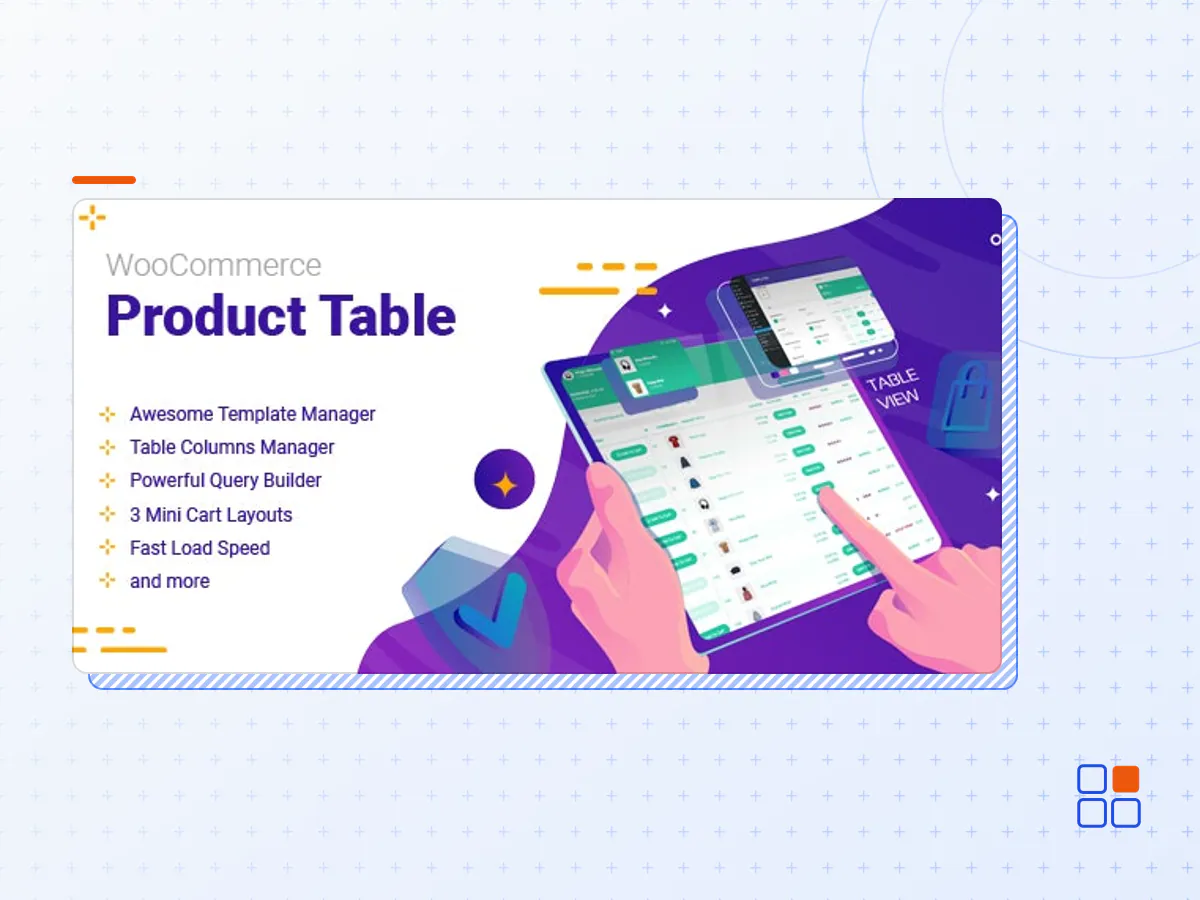
WooCommerce Product Table By ithemelandco
- Type
- Plugin
- Category
- WooCommerce Plugins
- Licence
- GNU GPL
- Delivery
- Instant download
- Access
- 12 months, or lifetime
- Sites
- Unlimited
WooCommerce Product Table plugin is a useful extension for ecommerce and online store websites designed by Wordpress. This plugin can make a huge change on the appearance of online shopping website.
If you’re already a WooCommerce user, you’re probably familiar with product pages. They can be quite useful for displaying images, sharing information such as dimensions and price, and even enabling customers to make fast purchases.
However, there are some situations where product pages cause more problems than they solve. For example, some products – such as e-books or software – and services don’t benefit from the use of images. In these cases, traditional product pages can look strangely empty.
Additionally, product pages sometimes inhibit browsing and purchasing. If you have a large volume of items available, scrolling through one product page after another can get tiring (and boring) for your customers. Using product pages to add items to a cart individually is also time-consuming and tedious.
Advantages of WooCommerce Product Table plugin
COLUMNS MANAGER:
Columns are the most important part of this plugin. You can customize how to display any features of the products in the columns. This is like a game. You are free to choose the way that you want to show the products. By adding taxonomy, variables and even custom fields, there is no limitation for you to make the features in any order as you wish.
QUERY:
Query makes it even easier for you as a store manager to display a group of products with specific features. A lot of various fields have been designed in the Query of WooCommerce Product Table plugin to help you dividing your products with special features.
SEARCH BOX AND PAGINATION:
Search box is a sensible structure to make a customer-friendly look for your product table. Finding and filtering the products could never been easier for customers. This is the most powerful feature of WooCommerce Product Table plugin that encourages your customers to buy more products in a short time.
TEMPLATE:
In WooCommerce Product Table plugin, attractive templates are available to help you make a distinctive appearance. This is not the end of story! More options are waiting for you as the manager of the online shopping center to change any part of the product table appearance exactly according to your customer taste.
By choosing “Add new template”, every single part of the table is in your hand. You can change the text color, background color, thumbnail images, pop ups, color of categories and many other items.
AT A GLANCE:
- Display WooCommerce products as a table
- Search and Filter products
- Easily access to the cart from everywhere on the screen
- Add as many items as they wish to the cart at the same time
- See Thumbnail shape
- Choose variations in action column
- Useful Group add to cart option
- Supports most of woocommerce product’s fields
- ID
- Thumbnail
- Title
- Description
- Short Description
- Slug
- ALL ATTRIBUTES
- Product Category
- Product Tags
- PRODUCTS CUSTOM TAXONOMIES
- PRODUCTS META FIELDS
- SKU
- Price
- Regular price
- Sale price
- Sale time from
- Sale time to
- Manage stock
- Stock quantity
- Stock status
- Product Status
- On sale
- Status
- Featured
- Weight
- Length
- Width
- Height
- Featured
- Upsells
- Cross-sells
- Variations
- Author
- Average rating
- Comment count
- Product type
- Date Published
- Date Modified
WHAT CAN THE WOOCOMMERCE PRODUCT TABLE PLUGIN BE USED FOR?
- Fashion website
- Jewellery products
- Electronics shops
- Mobile shops
- Gadget products
- Restaurant menu
- Accessories stores
- Books shops
- Tickets websites
- Pricing Table
- Online Music
- Virtual files and downloadable product
- The WooCommerce Product Table By ithemelandco plugin archive (.zip), exactly as the developer released it.
- Uploads straight from the WordPress dashboard — no FTP or extra tools needed.
- GPL licensing: install it on every site you manage, client sites included.
- A year of downloads and newer versions with a single purchase, or permanent access with the lifetime upgrade.
- Also unlocked by every membership plan, together with the rest of the plugin catalogue.
Not included
- A licence key from the developer — features that run on the developer's own servers (cloud services, vendor auto-updates, vendor support) may be unavailable.
How to install WooCommerce Product Table By ithemelandco
- 1Download WooCommerce Product Table By ithemelandco from Downloads in your account. Keep the file zipped.
- 2In your WordPress dashboard open Plugins → Add New Plugin and click Upload Plugin.
- 3Choose the .zip, click Install Now, then Activate.
- 4Open the WooCommerce Product Table By ithemelandco settings screen and configure it for your site.
- 5If a notice asks for a licence key you can dismiss it; the plugin itself runs without one.
To update later, download the newer version from your account and upload it the same way — WordPress offers to replace the installed copy and keeps your settings.
Is this the developer's original WooCommerce Product Table By ithemelandco file?
Yes. The archive is the release the developer published, with nothing added or removed. It is distributed under the GNU GPL, which is what allows WordPress GPL to offer it; you are buying the download and updates, not a licence key from the vendor.
Can I use WooCommerce Product Table By ithemelandco on client websites?
Yes. The GPL places no limit on the number of sites, so you can install it on your own projects and on sites you build for clients.
How do I get newer versions of WooCommerce Product Table By ithemelandco?
When a newer release reaches our catalogue it replaces the file in your account, and you can request one from this page if you need it sooner. A single purchase covers a year of downloads (or longer with the lifetime upgrade); a membership covers updates while it is active.
Does it come with support from the developer?
No — vendor support is tied to a licence bought from the developer. We help with downloading and installing the file, and if it turns out to be broken you can ask for a refund within 14 days.