WooCommerce Lottery - WordPress Competitions and Lotteries + Pick Number
- Type
- Plugin
- Category
- WooCommerce Plugins
- Licence
- GNU GPL
- Delivery
- Instant download
- Access
- 12 months, or lifetime
- Sites
- Unlimited
WooCommerce Lottery extends popular WooCommerce plugin with lottery / competition / lucky draw features. WordPress competitions, lotteries and draws have never been easier!
WooCommerce Lottery / Competition plugin is easy to use but also a powerful solution – website owners get true WordPress lottery and draw solution which is both easy to setup and customize.
With our lottery plugin you can setup WooCommerce lottery website and start your lotteries in less than 30 minutes (assuming you have payment processor ready). If you are theme developer who wants to create Wordpress lottery theme for Envato just buy extended licence and you’re good to go.
WooCommerce Lottery Overview and Features:
- Works with latest WordPress and latest WooCommerce and previous versions, Elementor support, supports PHP8
- Seamless integration into WooCommerce via its hooks
- You get new type of WooCommerce product type – lottery
- Define number of lottery winners – 1 or more
- Login at later stage of checkout (guest checkout)
- Lottery ticket price can be zero, works with TeraWallet / Credit payment gateways
- Winners / users can win single prize or multiple prizes
- Option for refund tickets with single click if lottery has failed
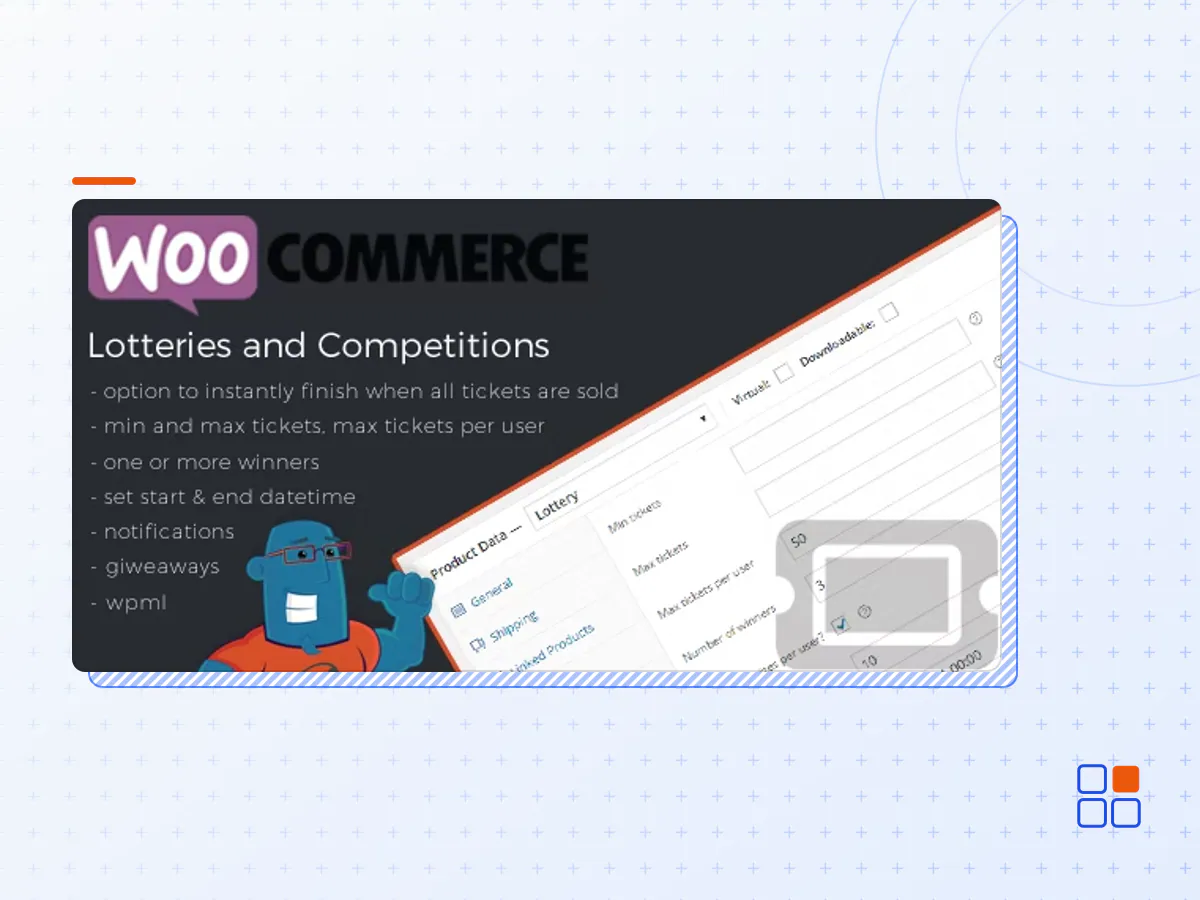
- Option for instantly finish lottery if max number of tickets was sold
- Option for extending lottery end date with all previously sold tickets (ticket rollover for failed lotteries)
- Manually relist lottery and option to delete previous lottery data after relist
- Manually extend lottery end date for failed lotteries (keeps lottery participants)
- Define minimum and maximum number of tickets available
- Define max tickets per user, number of winners and multiple wins per user
- Set start and end time for lottery
- Entry lists for lotteries
- Easily control how you want to display lotteries – along with other items or on separate page
- Widgets with ending soon, future, latest / recent, featured, recently viewed, my lotteries and random lotteries
- Email notifications (with editable templates) for lottery win, fail, finish, no luck, lottery fail for customers, lottery extended
- Lottery product has lottery icon (label) on thumbnail
- Product single page has new tab “Lottery History”
- User has “My lotteries” page where one can see active lotteries and won lotteries – page with shortcode
- Lottery filtering in product list (wp-admin)
- Lottery product has icon which describes different lottery status: active, finished, finished and paid, failed (wp-admin)
- Plenty of shortcodes including shortcode to show my lotteries for logged in user
- Make lottery from any type of Woocommerce product – simple, virtual or downloadable products
- Manually delete any ticket via Woocommerce order management – deleting order deletes ticket
- WPML compatible, translation files
- Enable users to create and submit their lotteries / competitions / lucky draws and you as site owner can charge a fee (via multivendor plugin like Product Vendors or Dokan)
- Cronjobs required – if your host does not support 1 minute cronjobs you can use 3rd party cron service like easycron
- The WooCommerce Lottery plugin archive (.zip), exactly as the developer released it.
- Uploads straight from the WordPress dashboard — no FTP or extra tools needed.
- GPL licensing: install it on every site you manage, client sites included.
- A year of downloads and newer versions with a single purchase, or permanent access with the lifetime upgrade.
- Also unlocked by every membership plan, together with the rest of the plugin catalogue.
Not included
- A licence key from the developer — features that run on the developer's own servers (cloud services, vendor auto-updates, vendor support) may be unavailable.
How to install WooCommerce Lottery
- 1Download WooCommerce Lottery from Downloads in your account. Keep the file zipped.
- 2In your WordPress dashboard open Plugins → Add New Plugin and click Upload Plugin.
- 3Choose the .zip, click Install Now, then Activate.
- 4Open the WooCommerce Lottery settings screen and configure it for your site.
- 5If a notice asks for a licence key you can dismiss it; the plugin itself runs without one.
To update later, download the newer version from your account and upload it the same way — WordPress offers to replace the installed copy and keeps your settings.
Is this the developer's original WooCommerce Lottery file?
Yes. The archive is the release the developer published, with nothing added or removed. It is distributed under the GNU GPL, which is what allows WordPress GPL to offer it; you are buying the download and updates, not a licence key from the vendor.
Can I use WooCommerce Lottery on client websites?
Yes. The GPL places no limit on the number of sites, so you can install it on your own projects and on sites you build for clients.
How do I get newer versions of WooCommerce Lottery?
When a newer release reaches our catalogue it replaces the file in your account, and you can request one from this page if you need it sooner. A single purchase covers a year of downloads (or longer with the lifetime upgrade); a membership covers updates while it is active.
Does it come with support from the developer?
No — vendor support is tied to a licence bought from the developer. We help with downloading and installing the file, and if it turns out to be broken you can ask for a refund within 14 days.