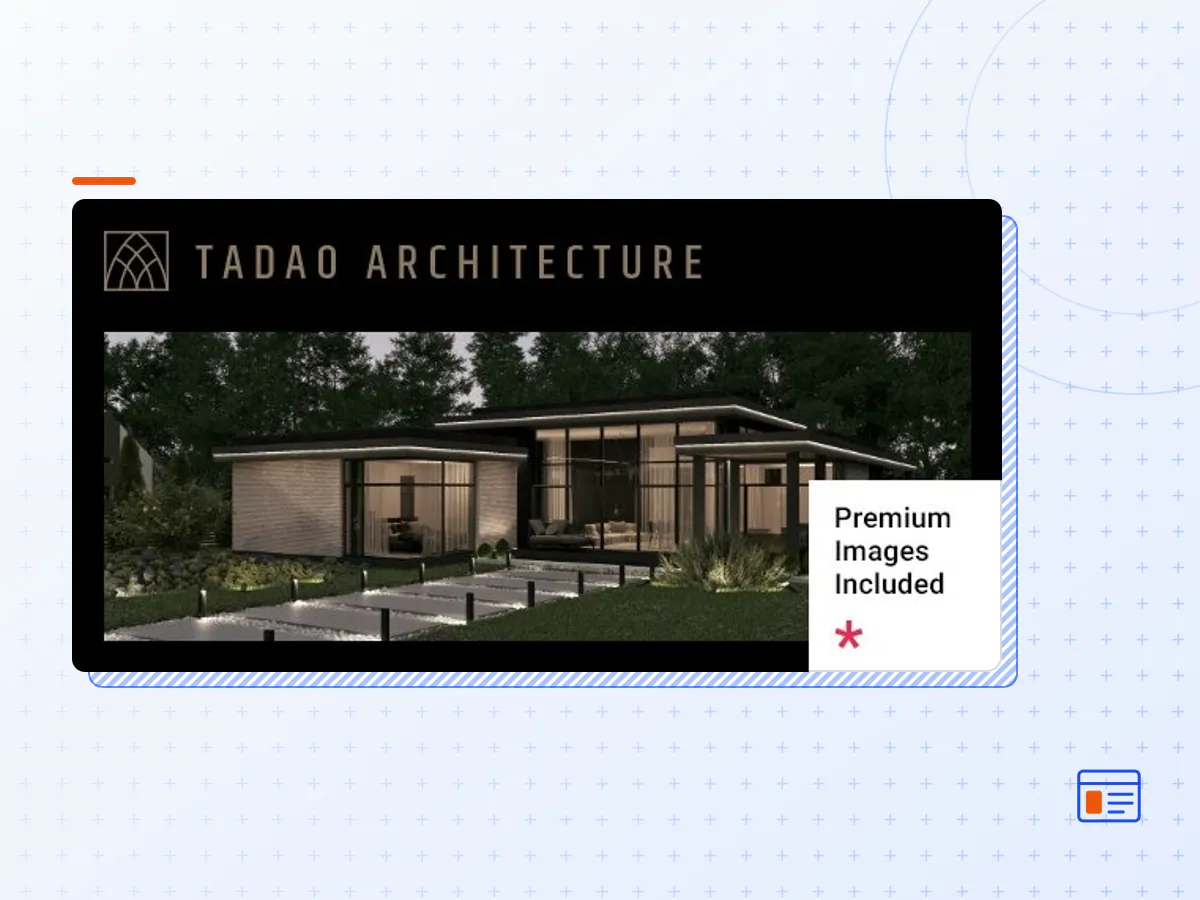
Tadao - Architecture and Interior Design Theme
- Type
- Theme
- Licence
- GNU GPL
- Delivery
- Instant download
- Access
- 12 months, or lifetime
- Sites
- Unlimited
Present your projects in a truly majestic light with Tadao, a modern theme we devised for all types of architecture, interior design and decorator business sites. The theme features layouts particularly devised for architect portfolio, architect studio and shop websites, a dark mode which you can easily style any way you see fit, full Elementor Page Builder compatibility and lots more!
Here’s a link if you wish to view the Tadao documentation.
If you have any questions or wish to learn more about Tadao theme, we’ve compiled a huge selection of useful articles which you can easily lookup over at our Knowledge Base.
In case you have already purchased Tadao and you happen to have some questions about it, feel free to visit our Help Center where our support team will be more than glad to help you out.
Check out the Qode Video Tutorials where you can find step-by-step guides on how to customize our themes to achieve exactly what your website needs.
Like our theme? Feel free to browse our other interior design themes for WordPress.
Theme Features
- Easy-to-Use Powerful Admin Interface
- One-click import of demo site
- 9 predesigned homepages
- Practical inner pages
- Elementor Page Builder plugin compatible
- Slider Revolution Responsive WordPress Plugin included ($109 value)
- Compatible with the WooCommerce plugin for eCommerce
- Large collection of custom shortcodes
- Portfolio List shortcode
- Portfolio Gallery layout
- Portfolio Masonry layout
- Portfolio Justified Gallery layout
- Portfolio Slider layout
- Portfolio List “Load More” Pagination
- Portfolio List “Infinite Scroll” Pagination
- Portfolio List Standard Pagination
- Various portfolio single layouts
- Portfolio Single Gallery layout
- Portfolio Single Slider layouts
- Portfolio Single Images layouts
- Portfolio Full Width Images layout
- Portfolio Project Info shortcode
- Portfolio Category List shortcode
- Portfolio Interactive List shortcode
- Portfolio Scaled Slider shortcode
- Author List shortcode
- Awards List shortcode
- Accordion shortcode
- Crossfade Images shortcode
- Expanded Showcase shortcode
- Horizontal Projects shortcode
- Frame Slider shortcode
- Image Hotspots shortcode
- Comparison Pricing Table shortcode
- Pricing Table shortcode
- Clients List shortcode
- Text Marquee shortcode
- Product List shortcode
- Product Category List shortcode
- Blog List shortcode
- Customizable blog layouts
- Custom Post Formats: Audio, Video, Standard, Gallery, Link, Quote
- Button shortcode
- Countdown shortcode
- Counter shortcode
- Custom Fonts shortcode
- Dropcaps shortcode
- Google Map shortcode
- Highlight shortcode
- Social Share functionality
- Image Gallery shortcode
- Image With Text shortcode
- Icon List Item shortcode
- Icon shortcode
- Icon With Text shortcode
- Progress Bar shortcode
- Swapping Image Gallery shortcode
- Vertical Split Slider shortcode
- Interactive Link Showcase shortcode
- Cards Gallery shortcode
- Stacked Images shortcode
- Stamp shortcode
- Thumbnail Slider shortcode
- Workflow shortcode
- Section Title shortcode
- Separator shortcode
- Single Image shortcode
- Tabs shortcode
- Team List shortcode
- Testimonials List shortcode
- Video Button shortcode
- 5 Header types
- Divided Left Header
- Divided Header
- Minimal Header
- Standard Header
- Switch Header
- Multiple Header behaviors
- Side Area
- Integrated Search
- Optional separate logo for Mobile Header
- Separate styles for Mobile Header
- Optional separate logo for light and dark header versions
- Optional separate logo for Sticky header type
- Header Top and Header Bottom Widget Areas
- Customizable Mega Menu
- Variable grid size
- Back to Top button functionality
- Content Entry Animations
- Author Info widget
- Blog List widget
- Button widget
- Contact Form 7 widget
- Contact Info widget
- Custom Font widget
- Icon widget
- Icon List Item widget
- Search Opener widget
- Side Area Opener widget
- Separator widget
- Simple Blog List widget
- Single Image widget
- Social Share widget
- Sticky Sidebar widget
- Title widget
- Icon SVG widget
- Weather widget
- WooCommerce Dropdown Cart widget
- WooCommerce Side Cart widget
- Footer Top and Footer Bottom
- Customizable Footer Top with 1-4 Columns layouts
- Customizable Footer Bottom with 2 Column layouts
- Child Theme included
- Custom Widget Areas
- Responsive Design
- Retina Ready
- Font Elegant font pack
- Font Awesome font pack
- Translation Ready
- WPML compatible
- Contact Form 7 compatible
- Highly customizable typography settings
- Separate typography settings for responsive
- 1000+ Google Fonts
- The Tadao theme package as the developer released it.
- The installable theme .zip, plus whatever else the developer ships with it — often a child theme and documentation.
- GPL licensing: use it on as many sites as you like, for yourself or for clients.
- A year of downloads and newer versions with a single purchase, or permanent access with the lifetime upgrade.
- Also unlocked by every membership plan, together with the rest of the theme catalogue.
Not included
- A licence key from the developer — demo importers or bundled-plugin updates that check a key on the developer's servers may need manual steps.
How to install Tadao
- 1Download Tadao from Downloads in your account.
- 2If the download holds several files, unzip only that outer package and find the installable theme .zip (usually named after the theme).
- 3In WordPress open Appearance → Themes → Add New Theme → Upload Theme, choose that .zip and click Install Now.
- 4Activate the theme. If it recommends companion plugins, install them from the notice it shows.
- 5Optional: import the demo content from the theme's own setup screen, then replace the demo text and images with yours.
Using a child theme keeps your custom CSS and template edits safe when you upload a newer version of the parent theme.
Is Tadao the original theme?
Yes — the package is the developer's release, unmodified, redistributed under the GNU GPL. WordPress GPL sells the download and updates; it does not issue vendor licence keys.
Will the Tadao demo import work?
Usually, yes. Most demo importers run inside WordPress. A few download demo files from the developer's servers and check a licence key first; in that case you can still build the pages yourself with the bundled templates.
How do theme updates work?
When a newer version of Tadao reaches our catalogue it replaces the file in your account. Upload it over the current theme (Appearance → Themes → Add New Theme → Upload Theme) and WordPress replaces it while keeping your settings.
What if the theme doesn't work?
Contact us with your order number. If the file is broken or clearly not what this page describes and we can't fix it, you get a refund within 14 days of purchase.