Stachethemes Event Calendar - WordPress Events Calendar Plugin
- Type
- Plugin
- Category
- CodeCanyon
- Licence
- GNU GPL
- Delivery
- Instant download
- Access
- 12 months, or lifetime
- Sites
- Unlimited
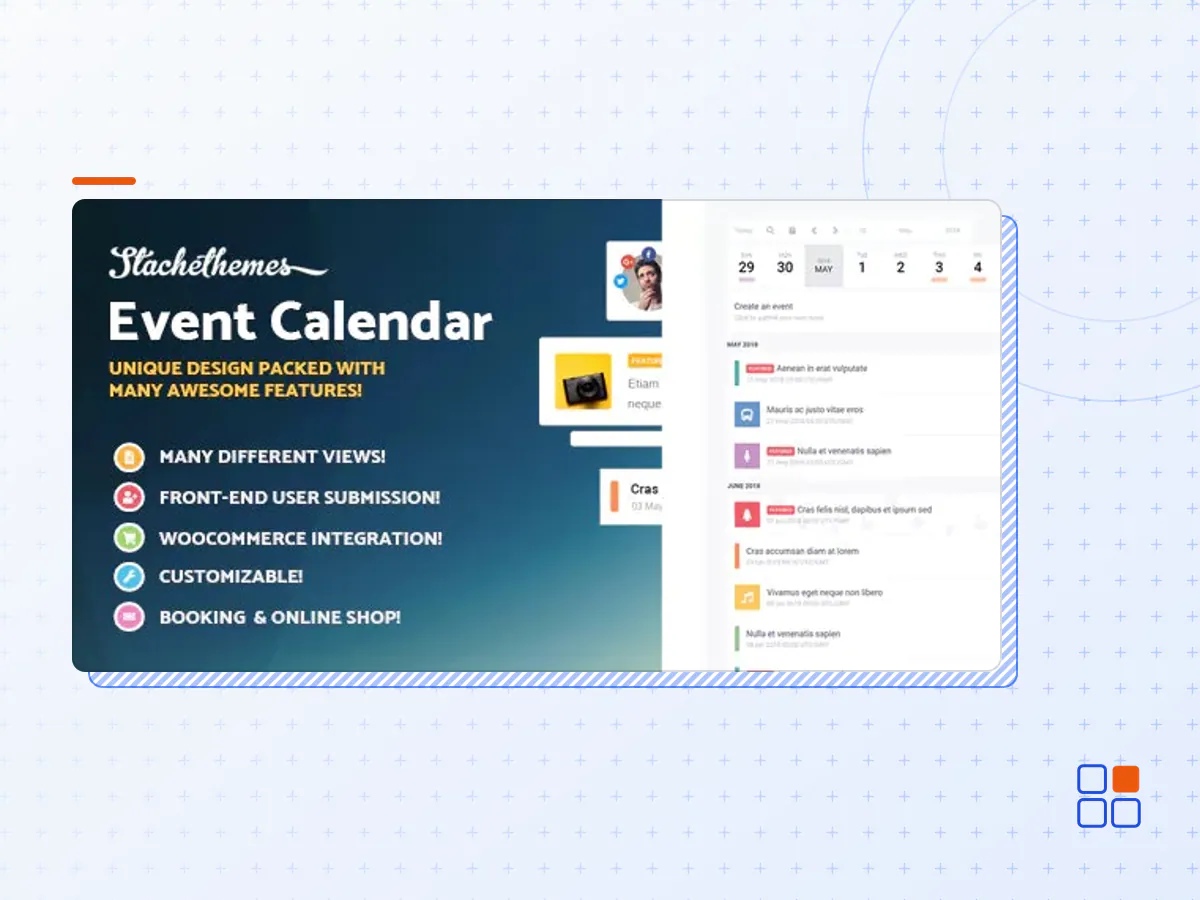
Stachethemes Event Calendar is a unique approach to the classic event calendar concept. Fully responsive with modern design and feel this WordPress Event Calendar Plugin will display your events in easy to read and navigate way. The plugin is packed with rich arsenal of features and options to help you create fully detailed and informative events quick and easy!
GENERAL FEATURES
Buddypress Support
Sidebar Widget
Elementor Builder Integration
Ticket QR code scan
Allow users to create paid events from the front-end.
Collect RSVP
New sharing options: Messenger, WhatsApp and Viber
CSV Import & Export
Open Event in Modal Window
Create Custom Event Submission Forms
Edit Events from the Front-End
Add Custom Icon with PNG
Add Date Instead of Icon
Add Image Instead of Icon
Add New Icons from Font Awesome
New Icon Interface
Color Themes
Organizer Information
Event Coming Soon Page
Event Categories
Show/Hide Category Tags
E-Mail Event Sharing
WPML Support
Booking System
Month View
Week View
Day View
Grid View
Box Grid View
Map View
Agenda View
Create Event Single Pages
Create Single Day Events
Create Multiple Day Events
Create All Day Events
Create Events that hold more than one day
Create Never ending events
Open Events in the Calendar or in Single Page
Set Featured Event
Show Only Featured Events
Duplicate Event
Allow users to submit events from the front-end
Review and Approve the Submitted Events
Set a certain date for event to end
Repeating Events
iCalendar RRULE Support
Finish an event after certain repeats
Unlimited number of events per day
Unlimited number of event calendars
Add Multiple Images to the event
Re-Arrange the images in event description
Filter Events
Filter Events by Location
Filter Events by Category
Filter Events by Organizer
Option to enter keywords to event to show on calendar search result
Search Events by date, name or keywords
Add Location Map
Advanced Event Locations system
OpenStreetMap Location Direction
Google Maps Location Direction
Multiple map styles for Google Maps
Add Event Countdown Timer
Export to Google Calendar
iCalendar support
Import, Export and Sync .ical files
Export all events from the WordPress Back-end
Enable/Disable the Event Tooltip
Attach files to your users to download from the event
Ability to hide past events in shortcodes
Change the number of the columns in grid view
Create Detailed Schedule
Create Detailed Event Guests list
Add Weather Forecast section
Facebook Comments Section
Disqus Comments Section
Create Embed Events
Auto Updater
API (Beta)
Create Merchandise section
Set E-Mail Reminder
Customize Reminder e-mail content
Customize Invitation e-mail content
Multi-site Ready
Translation Ready
Responsive Design
Show/Hide Search Button
Show/Hide Social Icons and Export options
Show/Hide Filter Button
Show/Hide View Buttons
Show/Hide Time Zone
Enable/Disable Remind feature
Show/Hide Top Navigation
Change Date Format: YY-MM-DD, DD-MM-YY or MM-DD-YY
Change First day of the week: Monday, Saturday or Sunday
Change Time Format: 12 or 24 hours
Change the Default view: Agenda, Month, Week, Day, Grid, Box Grid or Map
Change Events visibility from Public to Private
Change Weather degrees from Celsius to Fahrenheit
Change Weather wind from Mph to Kph
WPBakery Page Builder support (Formerly Visual Composer)
Share Events on Social Networks
Google Recaptcha
REPEATING EVENTS
Create Daily Events
Create Weekly Events
Create Monthly Events
Create Yearly Events
Repeat Events on Weekdays and Weekends
Set Custom Intervals for Events
Option to put gap between repeats
DIFFERENT VIEWS
Month View
Week View
Day View
Agenda View
Grid View
Box Grid View
Map View
Modal Mode
Coming Soon Mode
Single Pade Mode
- The Stachethemes Event Calendar plugin archive (.zip), exactly as the developer released it.
- Uploads straight from the WordPress dashboard — no FTP or extra tools needed.
- GPL licensing: install it on every site you manage, client sites included.
- A year of downloads and newer versions with a single purchase, or permanent access with the lifetime upgrade.
- Also unlocked by every membership plan, together with the rest of the plugin catalogue.
Not included
- A licence key from the developer — features that run on the developer's own servers (cloud services, vendor auto-updates, vendor support) may be unavailable.
How to install Stachethemes Event Calendar
- 1Download Stachethemes Event Calendar from Downloads in your account. Keep the file zipped.
- 2In your WordPress dashboard open Plugins → Add New Plugin and click Upload Plugin.
- 3Choose the .zip, click Install Now, then Activate.
- 4Open the Stachethemes Event Calendar settings screen and configure it for your site.
- 5If a notice asks for a licence key you can dismiss it; the plugin itself runs without one.
To update later, download the newer version from your account and upload it the same way — WordPress offers to replace the installed copy and keeps your settings.
Is this the developer's original Stachethemes Event Calendar file?
Yes. The archive is the release the developer published, with nothing added or removed. It is distributed under the GNU GPL, which is what allows WordPress GPL to offer it; you are buying the download and updates, not a licence key from the vendor.
Can I use Stachethemes Event Calendar on client websites?
Yes. The GPL places no limit on the number of sites, so you can install it on your own projects and on sites you build for clients.
How do I get newer versions of Stachethemes Event Calendar?
When a newer release reaches our catalogue it replaces the file in your account, and you can request one from this page if you need it sooner. A single purchase covers a year of downloads (or longer with the lifetime upgrade); a membership covers updates while it is active.
Does it come with support from the developer?
No — vendor support is tied to a licence bought from the developer. We help with downloading and installing the file, and if it turns out to be broken you can ask for a refund within 14 days.