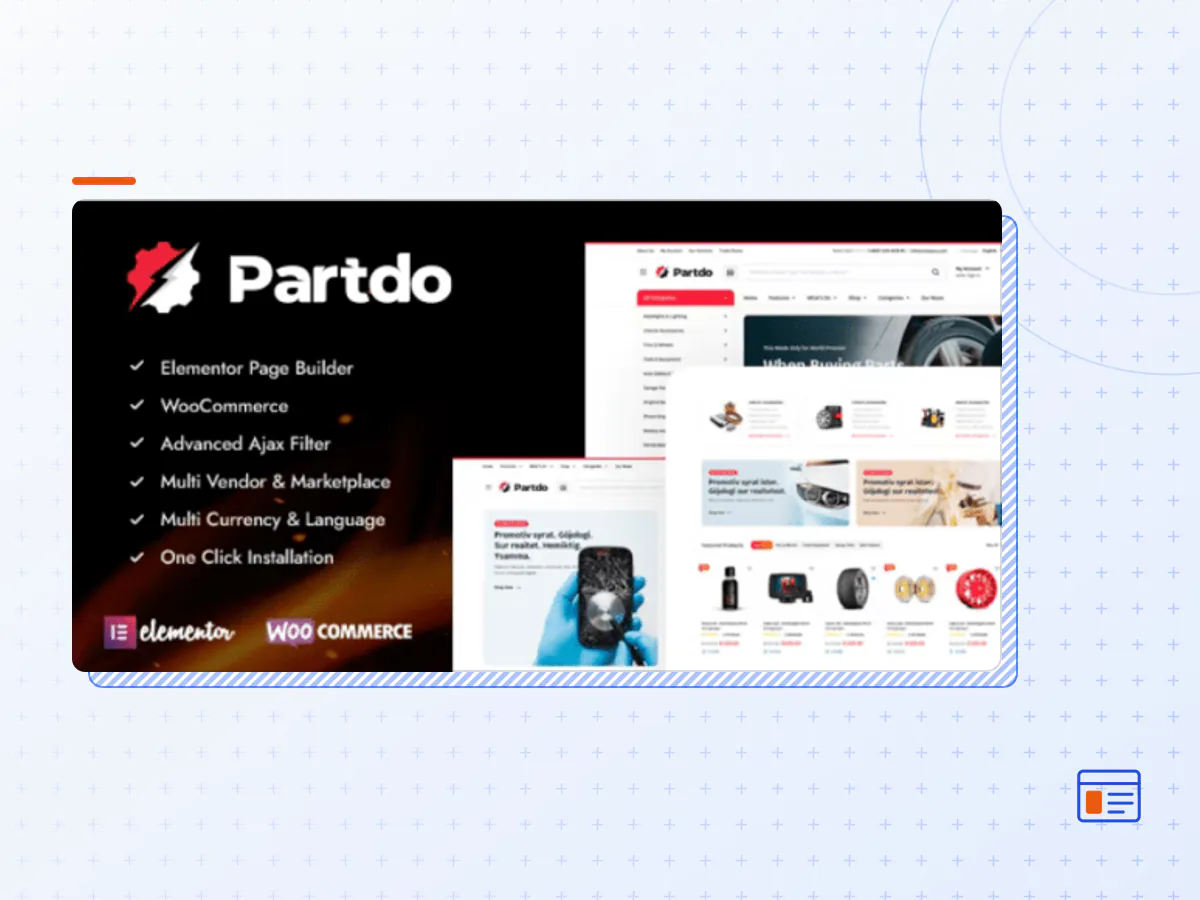
Partdo - Auto Parts and Tools Shop WooCommerce Theme
- Type
- Theme
- Licence
- GNU GPL
- Delivery
- Instant download
- Access
- 12 months, or lifetime
- Sites
- Unlimited
Auto Parts Store and Tools Shop WooCommerce eCommerce Elementor WordPress Theme
If you are planning to build an Auto Parts Store, then Partdo – Auto Parts Store and Tools Shop eCommerce Elementor WooCommerce WordPress Theme is what you need. This amazing theme can help you to build your own auto parts store, phone parts store, tools shop, electronics store, tire shop, auto parts multivendor, automotive shop, marketplace, multivendor, bike parts, moto shop, multi vendor, dokan, tuning shop and online tools products only in hours. Thanks to the high-end and most preferred components on this theme, anyone who is not even experienced in building and managing websites can easily create their own website. If you would like to learn more about the features of this amazing WordPress Theme, then keep reading.
Theme Features
- Elementor Page Builder
- WooCommerce ready
- Advanced Attribute Search Filter ready
- Dokan (Multi Vendor Plugin) ready
- WC Marketplace (Multi Vendor Plugin) ready
- Compatible with RTL(Right to Left Arabic)
- Load More Pagination Ajax ready
- Infinite Scroll Pagination Ajax ready
- Quick View ready
- Order on WhatsApp ready
- AJAX Shop Filters ready
- AJAX Product Search ready
- AJAX Add to Cart For Variable & Grouped Products ready
- AJAX Remove From Cart ready
- Wishlist ready
- Mobile Bottom Menu ready
- Recently Viewed Products ready
- Min/Max Quantity Option ready
- Min Order Amount ready
- Catalog Mode ready
- Single Product Stock Progress Bar ready
- Single Product Time Countdown ready
- Buy Now Button ready
- Product Image Zoom ready
- Product Video (Youtube and Vimeo) ready
- Product 360 View ready
- Product Mobile Filters ready
- Product Category Filters ready
- Product Status (Stock/On Sale) ready
- Product Filter by Color
- Product Filter by Brand
- Sticky Add to Cart for mobile ready
- Order Tracking ready
- GDPR cookie consent ready
- Popup Newsletter ready
- Maintenance – Coming Soon ready
- Added to Cart Ajax Popup Notice ready
- Free Shipping Bar ready
- Sticky Titles for Product Detail ready
- Login/Register Form with Tab ready
- Ajax Login/Register Form ready
- Video Tutorials ready
- WPML supported
- Polylang(Multilanguage) supported
- Loco Translate supported
- Contact Form 7
- Metabox supported
- Google Web Fonts
- Blog ready
- .POT for all languages – Multi language
- 7/24 fast support
- Oneclick demodata installer and XML
- Oneclick theme update
- Parallax background image and video supported
- Flat Design
- Fully Customizable
- Retina Ready
- Unlimited sidebar
- Unlimited background
- Unlimited color
- Well Documentation
- Fully Responsive
- Free Update
- Seo Optimized
- Fast Performance
- Documentation
- 1400+ Font Icons
- Google Fonts
- Google Maps
- HTML5 & CSS3
- Based on Bootstrap
- Based on jQuery
- Parallax Effect
- Animate Library
- Carousels
- Social Icons
- Breadcrumbs
- Clients Logos
- Testimonials
- Team Members
- Tabs
- Buttons
- Progress Bars
- Pagination
- Accordions
- Alerts
- Counters
- Gallery
- Media Embeds
- Columns
- Video
- Lists
- Headings
- Text Styles
- Code Blocks
- Address
- Blockquotes
- The Partdo theme package as the developer released it.
- The installable theme .zip, plus whatever else the developer ships with it — often a child theme and documentation.
- GPL licensing: use it on as many sites as you like, for yourself or for clients.
- A year of downloads and newer versions with a single purchase, or permanent access with the lifetime upgrade.
- Also unlocked by every membership plan, together with the rest of the theme catalogue.
Not included
- A licence key from the developer — demo importers or bundled-plugin updates that check a key on the developer's servers may need manual steps.
How to install Partdo
- 1Download Partdo from Downloads in your account.
- 2If the download holds several files, unzip only that outer package and find the installable theme .zip (usually named after the theme).
- 3In WordPress open Appearance → Themes → Add New Theme → Upload Theme, choose that .zip and click Install Now.
- 4Activate the theme. If it recommends companion plugins, install them from the notice it shows.
- 5Optional: import the demo content from the theme's own setup screen, then replace the demo text and images with yours.
Using a child theme keeps your custom CSS and template edits safe when you upload a newer version of the parent theme.
Is Partdo the original theme?
Yes — the package is the developer's release, unmodified, redistributed under the GNU GPL. WordPress GPL sells the download and updates; it does not issue vendor licence keys.
Will the Partdo demo import work?
Usually, yes. Most demo importers run inside WordPress. A few download demo files from the developer's servers and check a licence key first; in that case you can still build the pages yourself with the bundled templates.
How do theme updates work?
When a newer version of Partdo reaches our catalogue it replaces the file in your account. Upload it over the current theme (Appearance → Themes → Add New Theme → Upload Theme) and WordPress replaces it while keeping your settings.
What if the theme doesn't work?
Contact us with your order number. If the file is broken or clearly not what this page describes and we can't fix it, you get a refund within 14 days of purchase.