Openpos - WooCommerce Point Of Sale(POS)
- Type
- Plugin
- Category
- WooCommerce Plugins
- Licence
- GNU GPL
- Delivery
- Instant download
- Access
- 12 months, or lifetime
- Sites
- Unlimited
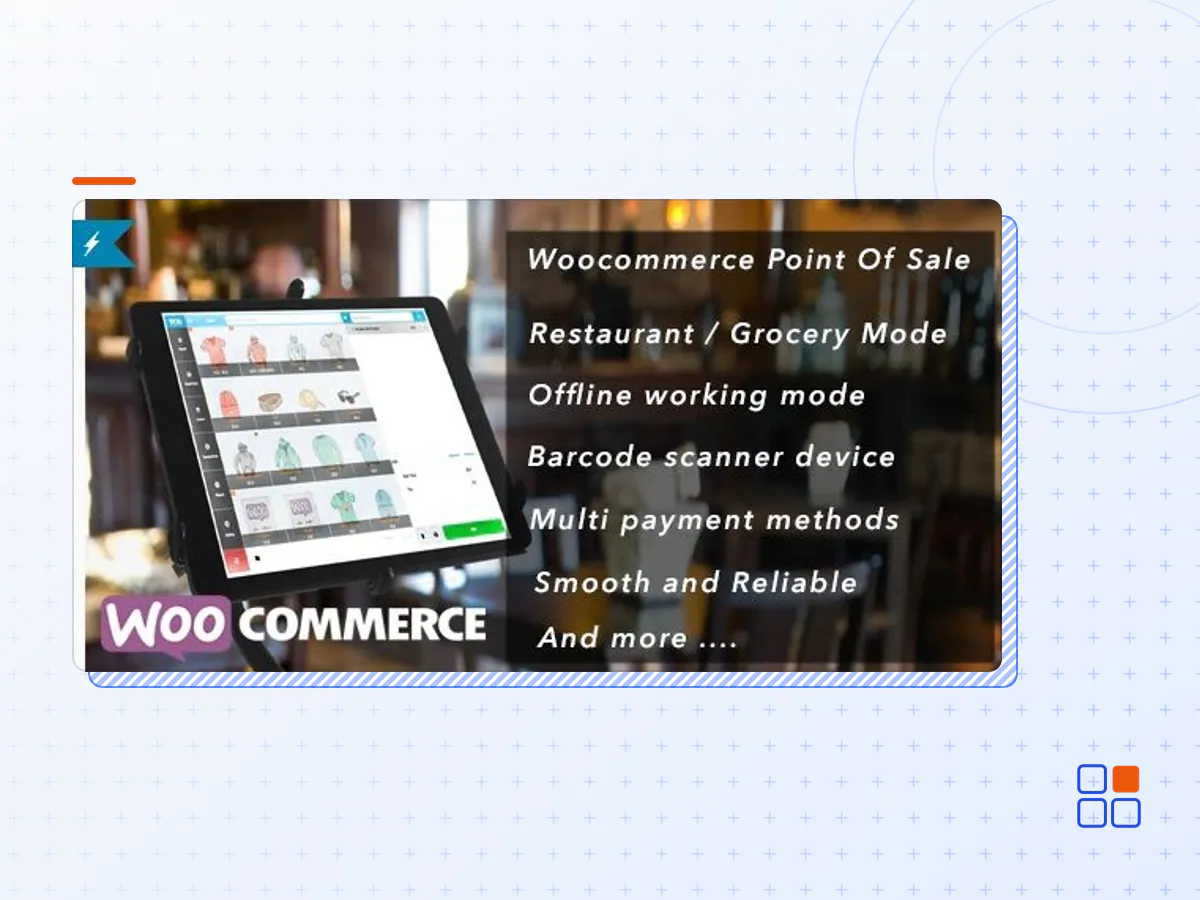
Openpos is a powerful and feature-rich point of sale (POS) plugin designed specifically for WooCommerce, one of the most popular e-commerce platforms. It seamlessly integrates with WooCommerce, allowing online store owners to transform their websites into comprehensive retail systems with robust in-store selling capabilities.
With Openpos, businesses can efficiently manage their physical store operations alongside their online presence. It provides a user-friendly and intuitive interface for processing sales, managing inventory, and handling customer transactions directly from a physical location. Whether it’s a brick-and-mortar store, pop-up shop, or a multi-location retail chain, Openpos simplifies and streamlines the entire point of sale process.
OpenPOS can be used for multi purposes like as Retailers Stores / Restaurant / Cafe / Spa salon. Supported businesses are Retailers, Pub, Gym, Hospital, Salon, Restaurants, Cafe, Supermarket, Bar, Clothing Store and much more . OpenPOS includes everything you need for a Point Of Sale system.
Openpos empowers businesses with the tools and capabilities needed to provide exceptional in-store customer experiences while seamlessly integrating with their existing WooCommerce online store. It’s a comprehensive solution that enhances efficiency, accuracy, and convenience in the retail environment.
OpenPOS Progressive Web Apps on Desktop
OpenPOS Progressive Web Apps on Desktop can be ‘installed’ on the user’s device much like native apps. It’s fast. Feel integrated because they launched in the same way as other apps, and run in an app window, without an address bar or tabs. It is reliable because service workers can cache all of the assets they need to run. And it create an engaging experience for users.
Features:
- No Monthly Fees. Hosted same place with your woocommerce
- Progressive Web App
- Support multi type of business: retailer – grocery / cafe-restaurant / Salon
- Cafe/Restaurant Mode with table management, merge table, transfer table, Kitchen View Screen
- Support Rent Business type like as : karaoke, Pool Table Hire, hotel / room rent …
- Real-time sync table order data between waiter’s phone/tablet and Kitchen’s phone/tablet/ pc
- General / Grocery Mode with customer pole display
- Multi-Warehouse (Outlets)
- Inventory Management : Stock adjustment
- Stock Overview
- Multi Registers
- Support all type of Barcode Scanner device / Auto detect barcode device input
- Add product by Barcode Scanning or search by name / sku
- Scan by camera
- Support Decimal Stock / Negative Qty
- Support Digital Scale & Digital Weighing Scale barcode
- Rounding Currency
- Weight base pricing
- Order Note / Item Note
- Discount and coupon ( Item discount and cart discount )
- Multi cart checkout with saved cart function
- Manage user allow login to POS panel
- Receipt , barcode label
- Print & Email Receipts
- Cash Management
- Checkout with multi payment method / Split payment
- Working with offline mode
- Report Transactions and Sales
- Integrated with WooCommerce Product Add-Ons, WooCommerce Product Bundles to sell your simple, variable, and complex products.
- Manage Active login session, session information contain: cashier name, locations, ip address.
- Camera barcode/ QRcode scanner with https
- Logoff function. This is an important feature for the cashier, they can logoff without losing working session, and not have to worry about their data change by another person
- Checkout with default or extended woocommerce gateways
- Refund, Partial Refund, Full exchange, Partial Exchange
- Support LayBuy : Buy and Pay later
- RESTAURANT : No Touch Order Processing
- Easy extends and manage code
- And many more…
- The Openpos plugin archive (.zip), exactly as the developer released it.
- Uploads straight from the WordPress dashboard — no FTP or extra tools needed.
- GPL licensing: install it on every site you manage, client sites included.
- A year of downloads and newer versions with a single purchase, or permanent access with the lifetime upgrade.
- Also unlocked by every membership plan, together with the rest of the plugin catalogue.
Not included
- A licence key from the developer — features that run on the developer's own servers (cloud services, vendor auto-updates, vendor support) may be unavailable.
How to install Openpos
- 1Download Openpos from Downloads in your account. Keep the file zipped.
- 2In your WordPress dashboard open Plugins → Add New Plugin and click Upload Plugin.
- 3Choose the .zip, click Install Now, then Activate.
- 4Open the Openpos settings screen and configure it for your site.
- 5If a notice asks for a licence key you can dismiss it; the plugin itself runs without one.
To update later, download the newer version from your account and upload it the same way — WordPress offers to replace the installed copy and keeps your settings.
Is this the developer's original Openpos file?
Yes. The archive is the release the developer published, with nothing added or removed. It is distributed under the GNU GPL, which is what allows WordPress GPL to offer it; you are buying the download and updates, not a licence key from the vendor.
Can I use Openpos on client websites?
Yes. The GPL places no limit on the number of sites, so you can install it on your own projects and on sites you build for clients.
How do I get newer versions of Openpos?
When a newer release reaches our catalogue it replaces the file in your account, and you can request one from this page if you need it sooner. A single purchase covers a year of downloads (or longer with the lifetime upgrade); a membership covers updates while it is active.
Does it come with support from the developer?
No — vendor support is tied to a licence bought from the developer. We help with downloading and installing the file, and if it turns out to be broken you can ask for a refund within 14 days.