MyTicket - Ticket/Event Management System WordPress Theme
- Type
- Theme
- Category
- ThemeForest
- Licence
- GNU GPL
- Delivery
- Instant download
- Access
- 12 months, or lifetime
- Sites
- Unlimited
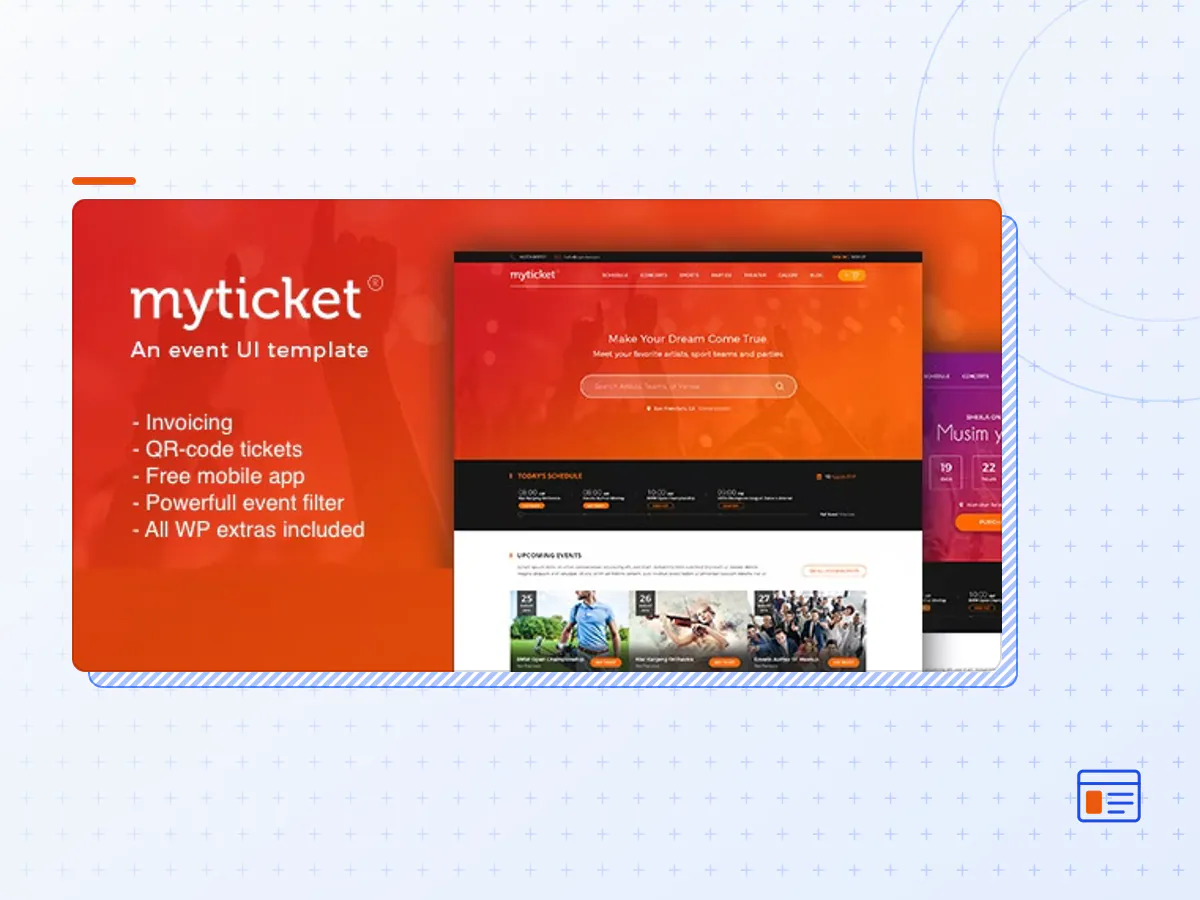
MyTicket extends default WooCommerce functionality. Using this plugin one can create events, specify its features, types, categories and any other custom information. Once event is specified ticketing system is automatically linked to it.
MyTicket is All In One solution to organize events, sell/validate tickets, track purchases, dynamically and in a beautiful way display various events to your users.
List Events
This theme comes with powerful event listing widgets. The image and real life usage example will explain it best. In short events widget and section filtering and sorting is based on Ajax requests. This ensures fast performance, seamless page refresh and extremely user friendly experience.
Ticket Selection
Once the event is found user can select the desired amount of tickets or event seats on a predefined custom stage/hall/stadium layouts and perform checkout process.
QR-code Scannable Ticket Receipt
After checkout and/or payment users will be able to immediately download a PSD invoice and receive it by email. The invoice contains QR-code that is linked to users order. Using MyTicket QR-code scanner app you can validate ticket by scanning users invoice, apply custom actions or just check order and customer information.
Custom Stadium Example
This template demonstrates that you can create beautiful custom hall, stadium, amphitheater, stage designs and link it with dynamic back-end in order to perform live system for ticket reservation and purchase. Also make sure that this is not an image. It is an interactive element where every section is clickable and can change its color depending on ticket availability or selection.
Note: Every seat layout is unique and is subject to extra charge due to design and integration requirements. We are not free development agency. Please send us your full project specification before asking for a quote.
Timetable Elements
Does not matter what portion of your website is opened. Convenient and accurate event elements will keep your users updated on latest events.
Advanced Search
If you plan to organize many events. Feel flexible and with different elements provided by this template. Split concerts, events, performances by dates, months, years, thematic and show them all in a user friendly way with various sorting methods.
- Create rich in content and beautiful events with countdown timers. Use Call to Action buttons for event applications.
- Manage artist performances, sell tickets for concerts and any other events.
- Sell tickets with the help of predefined stadium design layouts. Perfect for football, hockey, soccer, basketball, cricket, tennis, rugby, formula, boxing, volleyball or any other sport type event.
- Gallery, news, blog, interview, dashboard etc
Free Mobile App
We take all the complicate part on our side. You don’t need to maintain your own mobile app. Just download it from the Play Market and start using straight away with any ticket generated on your MyTicket website. There is no man in the middle. All connections are directly forwarded to your server. Once QR-code ticket scanned the app retrieves information about the customer, order and event and shows it up for validation. You can change the status and the changes will be immediately reflected under your website admin. In addition, the app has many builtin options that can fit your needs easily. You can restrict your backend usage only to certain app IDs to make 100% secure and reliable ticketing environment. You can try the app here.
Simple Setup Wizard
We make things as simple as possible. Our installation and demo content setup wizard will make everything required for your website show up same way as on our demo preview. No extra click, menu, form setup. Just up and running.
Page Builder & Live Editor
We use Page Builder by SiteOrigin as our core content modification tool. You can build your WordPress pages using a simple, intuitive drag and drop interface or even change content in live.
- The MyTicket theme package as the developer released it.
- The installable theme .zip, plus whatever else the developer ships with it — often a child theme and documentation.
- GPL licensing: use it on as many sites as you like, for yourself or for clients.
- A year of downloads and newer versions with a single purchase, or permanent access with the lifetime upgrade.
- Also unlocked by every membership plan, together with the rest of the theme catalogue.
Not included
- A licence key from the developer — demo importers or bundled-plugin updates that check a key on the developer's servers may need manual steps.
How to install MyTicket
- 1Download MyTicket from Downloads in your account.
- 2If the download holds several files, unzip only that outer package and find the installable theme .zip (usually named after the theme).
- 3In WordPress open Appearance → Themes → Add New Theme → Upload Theme, choose that .zip and click Install Now.
- 4Activate the theme. If it recommends companion plugins, install them from the notice it shows.
- 5Optional: import the demo content from the theme's own setup screen, then replace the demo text and images with yours.
Using a child theme keeps your custom CSS and template edits safe when you upload a newer version of the parent theme.
Is MyTicket the original theme?
Yes — the package is the developer's release, unmodified, redistributed under the GNU GPL. WordPress GPL sells the download and updates; it does not issue vendor licence keys.
Will the MyTicket demo import work?
Usually, yes. Most demo importers run inside WordPress. A few download demo files from the developer's servers and check a licence key first; in that case you can still build the pages yourself with the bundled templates.
How do theme updates work?
When a newer version of MyTicket reaches our catalogue it replaces the file in your account. Upload it over the current theme (Appearance → Themes → Add New Theme → Upload Theme) and WordPress replaces it while keeping your settings.
What if the theme doesn't work?
Contact us with your order number. If the file is broken or clearly not what this page describes and we can't fix it, you get a refund within 14 days of purchase.