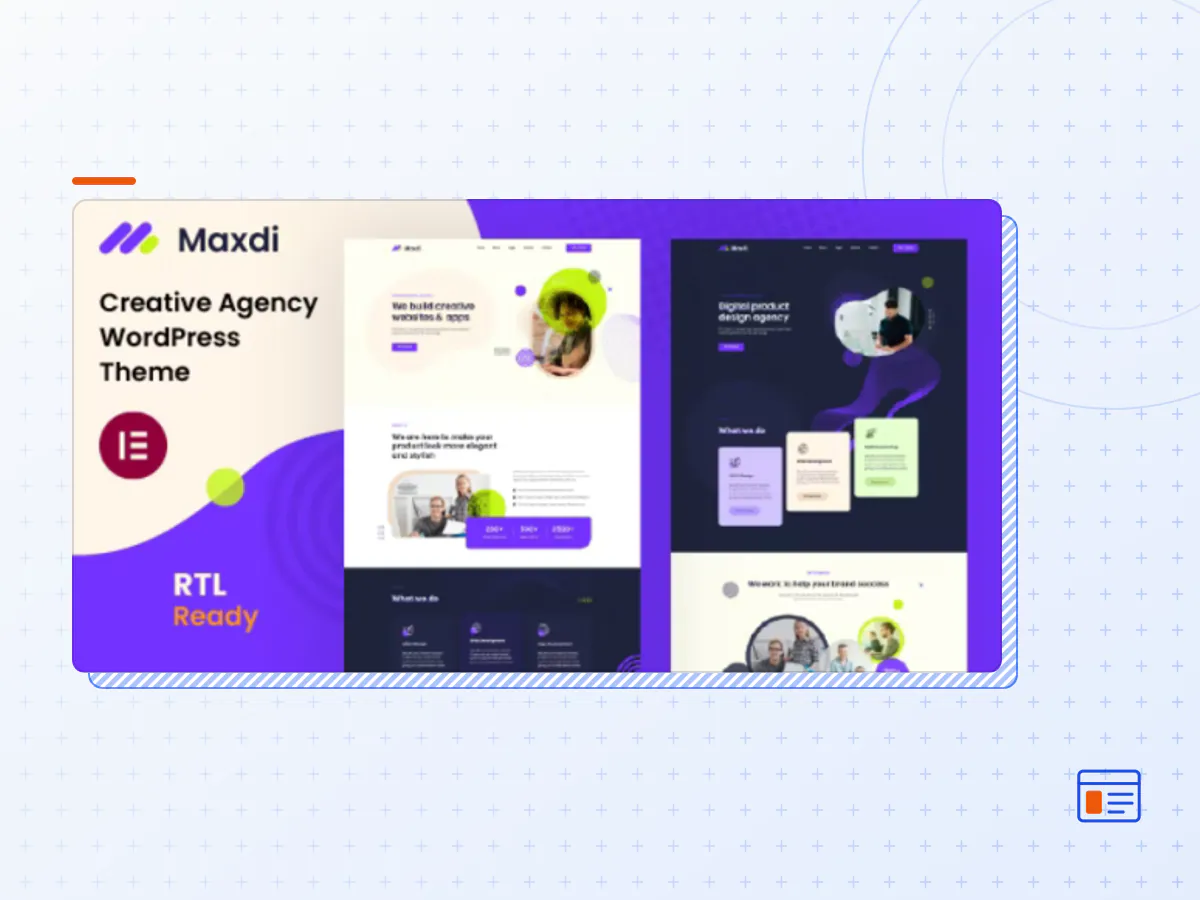
Maxdi - Creative Agency WordPress Theme
- Type
- Theme
- Licence
- GNU GPL
- Delivery
- Instant download
- Access
- 12 months, or lifetime
- Sites
- Unlimited
Maxdi – Creative Agency WordPress Theme
Maxdi is a modern Responsive Multi-Purpose Multi-Page WordPress Theme for startup digital agencies, corporate businesses, and SEO agencies that offers design, development, business consulting and online marketing services to its client.
Highly responsive, customizable and looks awesome on desktop, laptop, tablets and mobile devices.
Digital Agency, Creative Agency, Marketing Agency, SEO Agency, Modern Agency MultiPurpose and Landing Page Template
Features Overview
- Drag and Drop Page Builder Elementor:
Elementor Page Builder for WordPress is drag and drop frontend and backend page builder plugin that will save you tons of time working on the site content.
- Bootstrap v5.0.1 Framework:
Bootstrap is the most popular HTML, CSS, and JS framework for developing responsive, mobile first projects on the web.
- Compatible with Contact form 7:
Maxdi is compatible with the most powerful and most popular custom contact forms WordPress widget! create your own forms in seconds!
- Child theme compatible :
Maxdi enables you to easily override default template files using a child theme. It also enables you updating your theme in the safe way!
- Detailed documentation:
Extensive documentation on how to setup and customize that will make your customizations super easy and fast!
- Touch Friendly:
Easy browsing on touch devices.
- Demo content included:
Maxdi is ready to use from the box. Quickly install it via FTP or WordPress and after you activate it you can load demo content. Then you can add your own content on already designed pages.
- One click installation:
Install Maxdi with our powerful one click installer. Get your site up and running in no time! Quick, easy and rocket fast!
- Responsive & retina ready :
Look of your website on mobile devices is very important these days. So we made sure Maxdi looks great both on mobile, desktop and retina screens!
- Crossbrowser compatibility:
Maxdi looks great among all major browsers including IE9+.
- WPML & Translation Ready:
Maxdi is compatible with most popular WordPress plugin that supports creation of multilingual layouts. Translate your website to any language with WPML!
- Lifetime Updates and User Support :
Each purchase of the Theme guarantees you lifetime access to future theme updates at no extra cost. You also get six months of user support with the option of extending this period should you wish.
Full Features List
- Elementor Page builder
- Based on Bootstrap 5.0.1
- Flat, modern and clean design.
- 100% Responsive
- Niche Specific WordPress Theme
- WordPress Latest Version Compatibility
- One-click Demo import
- SEO Optimized.
- No coding knowledge required
- Touch Friendly.
- Custom Widgets
- Custom Elementor Widget
- Sticky Header
- Support WP Custumizer
- Clean and commented code
- eader and footer Setting
- 2+ Home Pages
- Cross Browser Support
- Font Awesome
- Regular Updates
- Valid HTML5 / CSS3
- Detailed documentation
- Easy to customize
- Translation ready
- WPML support
- Amazing 5 stars support
- Detailed documentation
- The Maxdi theme package as the developer released it.
- The installable theme .zip, plus whatever else the developer ships with it — often a child theme and documentation.
- GPL licensing: use it on as many sites as you like, for yourself or for clients.
- A year of downloads and newer versions with a single purchase, or permanent access with the lifetime upgrade.
- Also unlocked by every membership plan, together with the rest of the theme catalogue.
Not included
- A licence key from the developer — demo importers or bundled-plugin updates that check a key on the developer's servers may need manual steps.
How to install Maxdi
- 1Download Maxdi from Downloads in your account.
- 2If the download holds several files, unzip only that outer package and find the installable theme .zip (usually named after the theme).
- 3In WordPress open Appearance → Themes → Add New Theme → Upload Theme, choose that .zip and click Install Now.
- 4Activate the theme. If it recommends companion plugins, install them from the notice it shows.
- 5Optional: import the demo content from the theme's own setup screen, then replace the demo text and images with yours.
Using a child theme keeps your custom CSS and template edits safe when you upload a newer version of the parent theme.
Is Maxdi the original theme?
Yes — the package is the developer's release, unmodified, redistributed under the GNU GPL. WordPress GPL sells the download and updates; it does not issue vendor licence keys.
Will the Maxdi demo import work?
Usually, yes. Most demo importers run inside WordPress. A few download demo files from the developer's servers and check a licence key first; in that case you can still build the pages yourself with the bundled templates.
How do theme updates work?
When a newer version of Maxdi reaches our catalogue it replaces the file in your account. Upload it over the current theme (Appearance → Themes → Add New Theme → Upload Theme) and WordPress replaces it while keeping your settings.
What if the theme doesn't work?
Contact us with your order number. If the file is broken or clearly not what this page describes and we can't fix it, you get a refund within 14 days of purchase.