Listygo – Directory & Listing WordPress Theme
- Type
- Theme
- Licence
- GNU GPL
- Delivery
- Instant download
- Access
- 12 months, or lifetime
- Sites
- Unlimited
Listygo – Directory & Listing WordPress Theme
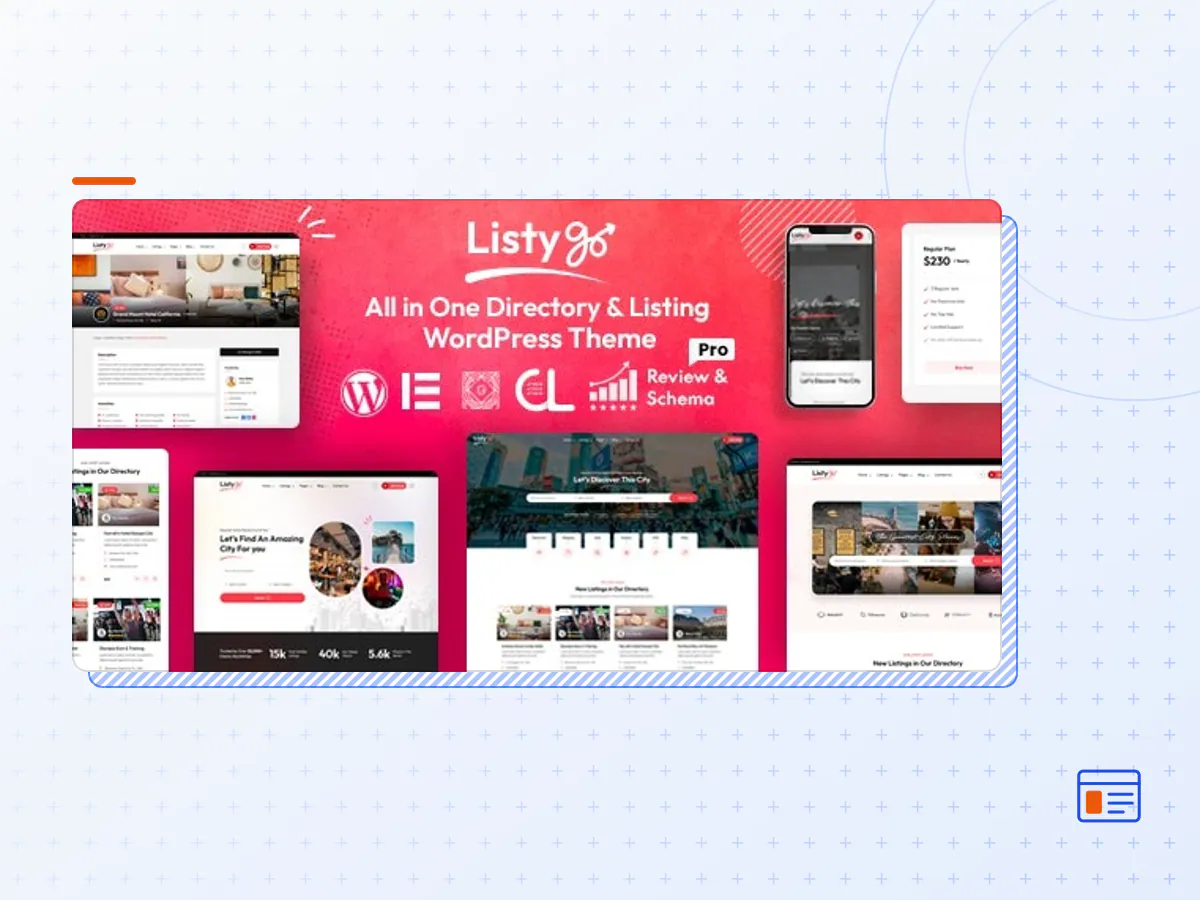
Listygo is the best Directory WordPress theme with a creatively crafted, clean, contemporary, and classy layout. It has multiple features that make it perfect for showcasing your directory listing website. Although it can serve websites in different directory niches, Listygo is ideally suited to directory and listing websites. This theme is a top-quality theme, from its ease of customization to its customization extensions. Since it is compatible with Gutenberg, Listygo lets you use WordPress’s native user-friendly block builder to create your pages.
This theme comes with the Elementor Page Builder, which is a popular choice with over 5 million active installations all over the globe. Both Elementor and Gutenberg allow you to customize your site using a drag & drop interface. This theme supports the live customizer for easy previews before publishing.
The theme’s basic features include 3 multi-homepages. These homepage demos are fully equipped with pages and elements that a real estate listing website needs. Since Listygo has the One-Click Demo Importer, you can install the demo you want your site to resemble in a single click.
Listygo comes with ReCAPTCHA control for login, registration, abuse, listing posting, and the contact form. The social share feature gives your users the freedom to share listings on Twitter, LinkedIn, Facebook, Google Plus, and Pinterest. Listing is also fully responsive and fluid and has excellent mobile versions. It accommodates various payment gateways, including Authorize.net, PayPal, and Stripe. It makes your site translation ready and cross-browser-compatible.
UNLIMITED CUSTOM FIELDS
You can have unlimited categories with this theme. With a larger user base, you will also need the unlimited custom fields option that comes with Listygo. Multiple Ad Types. With Listygo, users can present various types of ads depending on what they want with their ads. They can be buy, sell, or to-let ads, and you can control this from the admin end.
USER DASHBOARD
Apart from the admin’s dashboard, Listygo avails each front-end user their own dashboard that they can control from their end. It is important to post new ads, promote single ads, check payments, delete ads, check favorite ads, and edit ads.
EARN FROM AD POSTING
Listygo allows the site owner to earn money from posting various ad promotion options. Users can pay or pay more for top ads, bump up, and featured ads.
PAYMENT GATEWAYS
Listygo supports various payment gateways by default, including Offline, PayPal, Stripe, and Authorize.net. The latest version of this theme grants you integrated WooCommerce. Therefore, it supports all WooCommerce Payment Gateways, Coupons, and Invoices.
LIVE CHAT
Listygo has a live chat feature that allows buyers and sellers to communicate seamlessly.
Some more features:
- Based on Bootstrap 5 & Elementor Page Builder
- 3 Home Pages (Multi Pages).
- 2 Header Styles can do 5+ header variations.
- 2 Footer style
- 3 Listing layouts.
- 3 Listing detail layouts.
- 2 Blog Layouts
- Drag & Drop Page Builder included – Elementor
- Responsive & Mobile Friendly.
- SEO Friendly
- Unlimited Color Combinations.
- Customizer Included so you can change real time of theme option.
- Powerful Admin Panel by Redux.
- Dynamic Page Header
- Clean, Trending and Modern Design.
- One Click Demo Importer.
- Child Theme Included.
- Supports all modern browsers Chrome, Safari, Firefox, IE11+.
- WPML Translation Supported ( also pot file included)
- Quick & Faster Support
- Google Web Font
- Detail Documentation Included.
Ads features:
- Custom Fields Display in List View
- Custom Fields in Search Filter
- Settings for non Register user post ad (auto account created)
- Category & Location AJAX Filter
- AJAX auto complete Search
- Membership & Store facility
- Google Map with API.
- Top, Bump up & Featured ads option.
- Set Listing duration no of days.
- New Listing threshold no of days.
- Fields control for Listing View.
- Fields control for detail View.
- Report as Abuse.
- Add to Favorites.
- Contact form on Listing detail Page.
- No of Image control per listing.
- Auto or Manually listing approve.
- Max 3 Level of Location like State, City, Town or can set custom level.
- Currency control.
- Payment – Offline & PayPal Payment system, Authorize & Stripe.
- Full Control of Email mail message and notification.
- Primary, Link, Button & Label color control.
- Image size control for Thumbnail, Gallery.
- Max image upload size control.
- Social Share Facebook, Twitter, Google Plus, Linked IN & Pinterest.
- Re-captcha control for Registration, Listing, contact form and Report abuse form.
- Permalink control for listing detail page.
- Pricing option for each post.
- Unlimited category.
- Unlimited custom fields.
- Import Location features.
- Review & Rating.
- Bump up ad.
- Map widget to display ad markup location.
- Map List View.
- The Listygo theme package as the developer released it.
- The installable theme .zip, plus whatever else the developer ships with it — often a child theme and documentation.
- GPL licensing: use it on as many sites as you like, for yourself or for clients.
- A year of downloads and newer versions with a single purchase, or permanent access with the lifetime upgrade.
- Also unlocked by every membership plan, together with the rest of the theme catalogue.
Not included
- A licence key from the developer — demo importers or bundled-plugin updates that check a key on the developer's servers may need manual steps.
How to install Listygo
- 1Download Listygo from Downloads in your account.
- 2If the download holds several files, unzip only that outer package and find the installable theme .zip (usually named after the theme).
- 3In WordPress open Appearance → Themes → Add New Theme → Upload Theme, choose that .zip and click Install Now.
- 4Activate the theme. If it recommends companion plugins, install them from the notice it shows.
- 5Optional: import the demo content from the theme's own setup screen, then replace the demo text and images with yours.
Using a child theme keeps your custom CSS and template edits safe when you upload a newer version of the parent theme.
Is Listygo the original theme?
Yes — the package is the developer's release, unmodified, redistributed under the GNU GPL. WordPress GPL sells the download and updates; it does not issue vendor licence keys.
Will the Listygo demo import work?
Usually, yes. Most demo importers run inside WordPress. A few download demo files from the developer's servers and check a licence key first; in that case you can still build the pages yourself with the bundled templates.
How do theme updates work?
When a newer version of Listygo reaches our catalogue it replaces the file in your account. Upload it over the current theme (Appearance → Themes → Add New Theme → Upload Theme) and WordPress replaces it while keeping your settings.
What if the theme doesn't work?
Contact us with your order number. If the file is broken or clearly not what this page describes and we can't fix it, you get a refund within 14 days of purchase.