ThemesWordPress Kids & Babies Themes
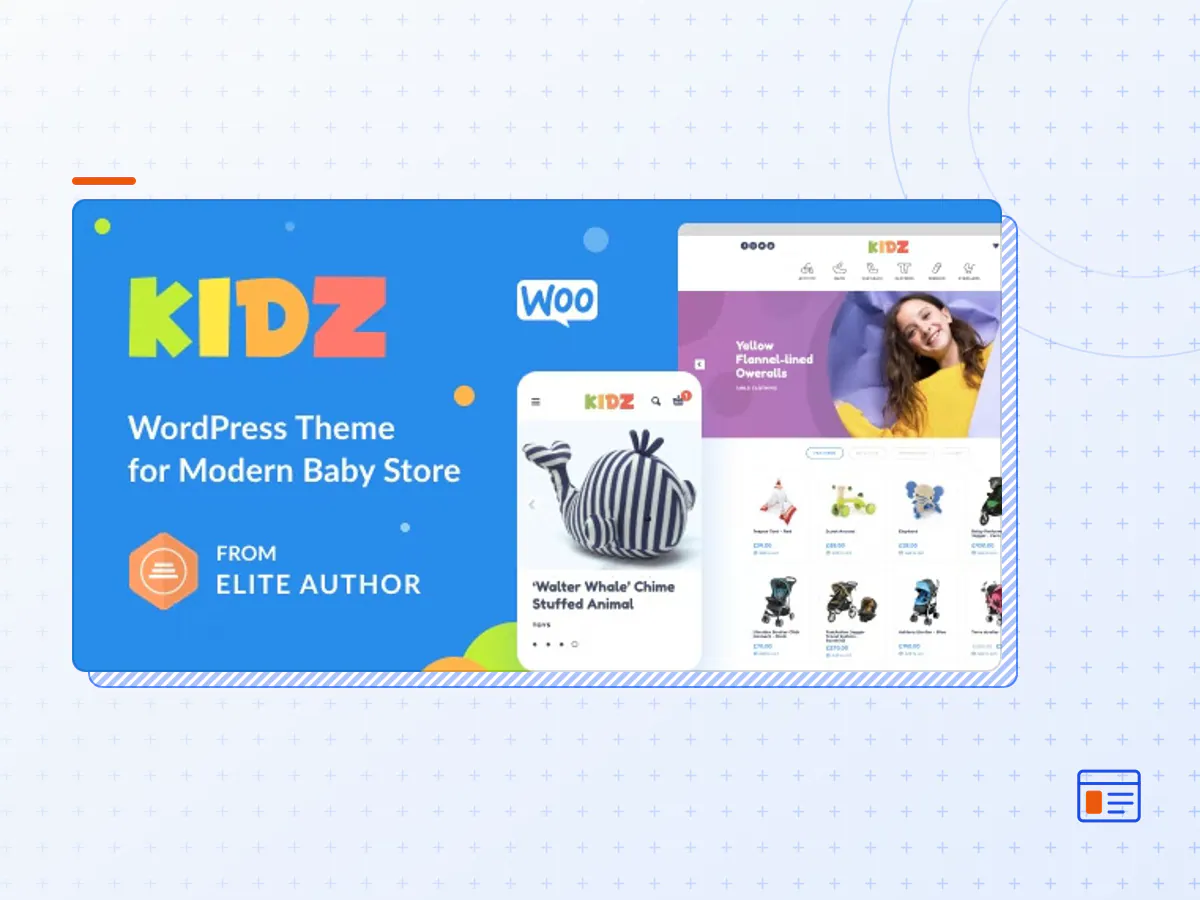
KIDZ - Kids Store and Baby Shop Theme
- Type
- Theme
- Category
- WordPress Kids & Babies Themes
- Licence
- GNU GPL
- Delivery
- Instant download
- Access
- 12 months, or lifetime
- Sites
- Unlimited
KIDZ – is a modern, minimalist and amazing fast WooCommerce WordPress Theme. Perfect for SEO and visitors. You can use KIDZ for Baby Shop, Kids Store, Toys Store, Kids Clothes Shop or any other e-commerce websites. Customize our Baby Shop WordPress Theme easily and have fun! If you have any questions about our WordPress Kids Store Theme, feel free to contact our friendly support team.
KIDZ Theme Features
- Modern minimalist design for Kids Stores
- Strong focus on typography, usability and overall user-experience
- Unique 50 Vector Icons Collections
- Built-in FrontPage builder
- One click demo import
- Theme customizing Control Panel for easy theme configuration
- Page Speed optimized
- SEO ready
- Multi column Mega menu
- Color filter
- Product QuickView
- Product Wishlist
- Product Video
- Ajax Live Search
- Cross-Browser Compatible
- Plugins Compatibility:
- Woocommerce 5.x
- Variation Swatches for WooCommerce
- MailChimp Subscribe
- Contact Form 7
- Revolution Slider – Save $26
- WPML (Translation)
- WebP Express
- 2 types of header layout
- 6 demo
- Sticky header feature
- Translation-Ready
- RTL Language support
- 24/7 Professional Support
- Child Theme Included
- Regular Updates
- 850+ Google Fonts Supported
- Well documented
- The KIDZ theme package as the developer released it.
- The installable theme .zip, plus whatever else the developer ships with it — often a child theme and documentation.
- GPL licensing: use it on as many sites as you like, for yourself or for clients.
- A year of downloads and newer versions with a single purchase, or permanent access with the lifetime upgrade.
- Also unlocked by every membership plan, together with the rest of the theme catalogue.
Not included
- A licence key from the developer — demo importers or bundled-plugin updates that check a key on the developer's servers may need manual steps.
How to install KIDZ
- 1Download KIDZ from Downloads in your account.
- 2If the download holds several files, unzip only that outer package and find the installable theme .zip (usually named after the theme).
- 3In WordPress open Appearance → Themes → Add New Theme → Upload Theme, choose that .zip and click Install Now.
- 4Activate the theme. If it recommends companion plugins, install them from the notice it shows.
- 5Optional: import the demo content from the theme's own setup screen, then replace the demo text and images with yours.
Using a child theme keeps your custom CSS and template edits safe when you upload a newer version of the parent theme.
Is KIDZ the original theme?
Yes — the package is the developer's release, unmodified, redistributed under the GNU GPL. WordPress GPL sells the download and updates; it does not issue vendor licence keys.
Will the KIDZ demo import work?
Usually, yes. Most demo importers run inside WordPress. A few download demo files from the developer's servers and check a licence key first; in that case you can still build the pages yourself with the bundled templates.
How do theme updates work?
When a newer version of KIDZ reaches our catalogue it replaces the file in your account. Upload it over the current theme (Appearance → Themes → Add New Theme → Upload Theme) and WordPress replaces it while keeping your settings.
What if the theme doesn't work?
Contact us with your order number. If the file is broken or clearly not what this page describes and we can't fix it, you get a refund within 14 days of purchase.