JobBox - Job Board & Career Portal Recruitment Agency WordPress Theme
- Type
- Theme
- Licence
- GNU GPL
- Delivery
- Instant download
- Access
- 12 months, or lifetime
- Sites
- Unlimited
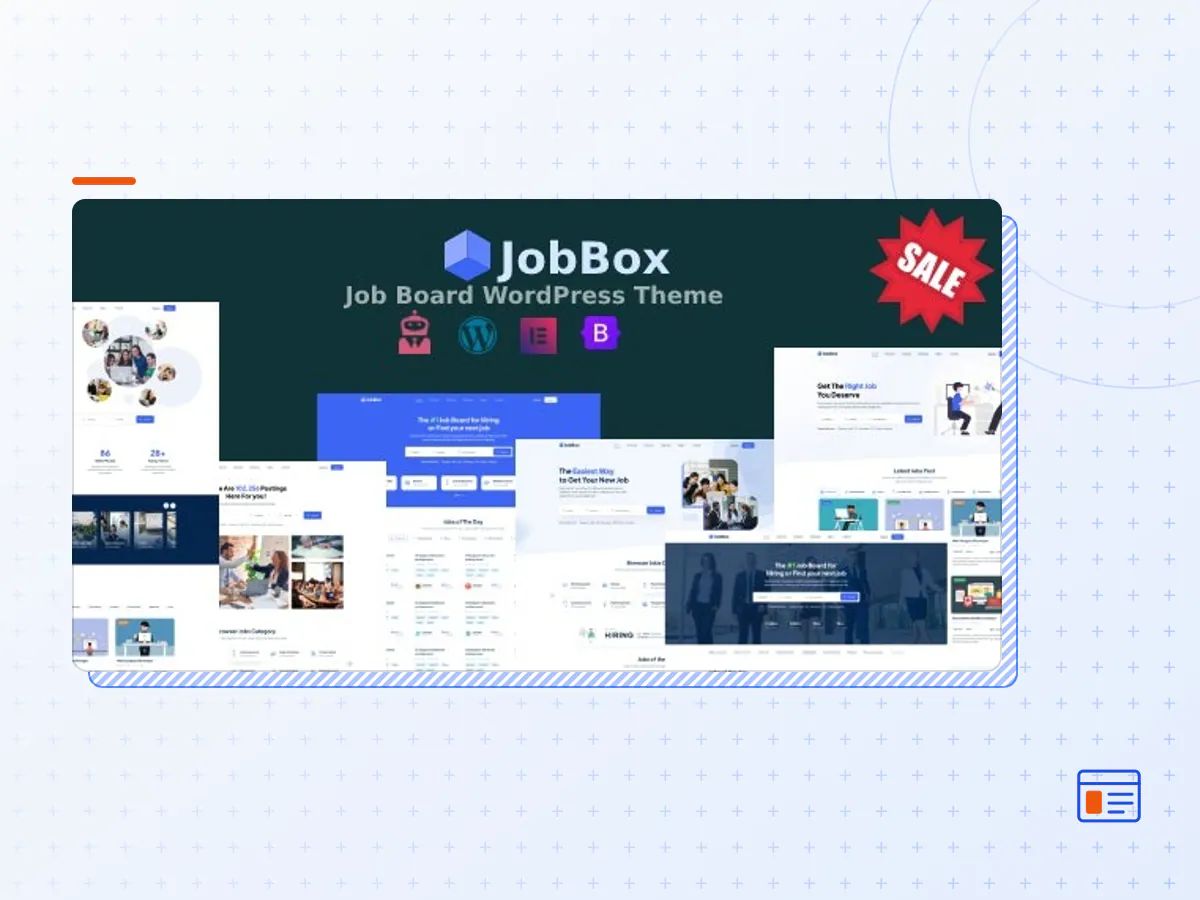
JobBox is a job board WordPress Theme. It is a neat, clean and professional job board website template for your organization. This template includes a Drag and Drop Page Builder Elementor, making it easy to build a complete Job Board theme.
This modern and professional flat design comes with lots of possibilities. JobBox is perfect for applicant, candidate, career, corporate, company, recruitment agency, employment, freelancer, job board, job directory, job listing, job posting, and job seeker also.
JobBox is integrated with WP Job Manager plugin which will save you time and help you build your project faster and more efficiently.
Few Highlights of Our Theme
JobBox is WP Job Manager supported – It is a lightweight job listing plugin for adding job-board functionality to your WordPress site. Shortcode-based, it is really simple to set up.
Allow job listers to preview their listing before it goes live. The preview matches the appearance of a live job listing. Easy to Use – Add, manage and categorize job listings using the familiar WordPress UI.
Search and Filter - Searchable & filterable ajax powered job listings added through Shortcodes.
Frontend Forms - Frontend forms for employers to submit & manage job listings.
WooCommerce supported – Paid listing functionality powered by WooCommerce. Create custom job packages that can be purchased or redeemed during job submission.
Candidates – Allow candidates to apply to jobs using a form & upload a custom resume
Recruiters – Allow the company to create their company profile & employers to view and manage the applications from their job dashboard.
Advanced Customizer options to change theme color, fonts, layouts, etc
One-click demo importer – Import your demo content, widgets and theme settings with one click.
All Jobbox Features
1. Elementor page builder supported. No coding required to build page.
2. Customizer supported. Site can be customized easily and quickly.
3. Customizer Settings :
- Post settings : Archive title, excerpt length settings, sticky text settings, trending news settings
- Newsletter settings : newsletter form display settings, title settings
- Dynamic styles : Dynamic Google fonts, dynamic font sizes, dynamic colors, dynamic background colors, dynamic borders, dynamic shadow settings.
4. What you get from JobBox
- One click demo import
- Clean and elegant design
- Cross browser compatibility
- Unlimited colors
- Sticky menu supported
- Offcanvas mobile menu supported
- WooCommerce supported
5. JobBox custom post types :
- Job Listing
- Recruiter
- Candidate
6. Custom post type settings :
- Apply job form settings
- Recaptcha v3 settings
- Archive page settings
- Posts per page settings
- Content tab title settings
7. Frontend submission :
- Job submission : Logged in user can submit job post from front end. Frontend submission form is available
- Create resume : Logged in user can create resume from front end. Frontend submission form is available
- Company profile : Logged in user can create company profile from front end. Frontend submission form is available
8. Job Listing :
- Job categories
- Job location by country
- Job types
- Job search by category, location and keyword
9. Email subscription form settings :
- Mailchimp url settings
- Email placeholder settings
- Submit button settings
10. Less plugin dependency :
- Supported basic and free plugins. Custom post types are controlled from a single plugin, so theme is less plugin dependent
11. Elementor supported templates : Theme contains dynamic Elementor templates. Using those templates pages can be built easily and quickly. Templates are listed below :
- Jobs by category
- Jobs by location
- Job categories
- Job search form
- Top recruiters
- Latest posts
- All members
- Testimonials
- Pricing plans
12. Other templates :
- Similar jobs template
- Jobs offered by a company
- Trending news
13. Grid and List view: Supported grid and list view switcher in archive pages
14. Bootstrap 5 supported
15. Optimized site speed
16. Fully Responsive Layout (PC, Tablet and Mobile phone)
17. Google Fonts supported
18. WPML – Multilingual supported
19. Child theme supported
20. Left/right sidebar, full width page & blog layout.
21. HTML5/CSS3 W3C Valid
22. SEO Optimized Page Layouts (heading use etc.)
23. Latest WordPress Tested
24. Latest WooCommerce Tested
25. Contact Form 7 Integrated
26. Google Analytics Ready
27. Dedicated support and regular updates
28. Extra Features :
- Sidebar widget supported
- Footer widget supported
- Modern Responsive Mobile Navigation
- The JobBox theme package as the developer released it.
- The installable theme .zip, plus whatever else the developer ships with it — often a child theme and documentation.
- GPL licensing: use it on as many sites as you like, for yourself or for clients.
- A year of downloads and newer versions with a single purchase, or permanent access with the lifetime upgrade.
- Also unlocked by every membership plan, together with the rest of the theme catalogue.
Not included
- A licence key from the developer — demo importers or bundled-plugin updates that check a key on the developer's servers may need manual steps.
How to install JobBox
- 1Download JobBox from Downloads in your account.
- 2If the download holds several files, unzip only that outer package and find the installable theme .zip (usually named after the theme).
- 3In WordPress open Appearance → Themes → Add New Theme → Upload Theme, choose that .zip and click Install Now.
- 4Activate the theme. If it recommends companion plugins, install them from the notice it shows.
- 5Optional: import the demo content from the theme's own setup screen, then replace the demo text and images with yours.
Using a child theme keeps your custom CSS and template edits safe when you upload a newer version of the parent theme.
Is JobBox the original theme?
Yes — the package is the developer's release, unmodified, redistributed under the GNU GPL. WordPress GPL sells the download and updates; it does not issue vendor licence keys.
Will the JobBox demo import work?
Usually, yes. Most demo importers run inside WordPress. A few download demo files from the developer's servers and check a licence key first; in that case you can still build the pages yourself with the bundled templates.
How do theme updates work?
When a newer version of JobBox reaches our catalogue it replaces the file in your account. Upload it over the current theme (Appearance → Themes → Add New Theme → Upload Theme) and WordPress replaces it while keeping your settings.
What if the theme doesn't work?
Contact us with your order number. If the file is broken or clearly not what this page describes and we can't fix it, you get a refund within 14 days of purchase.