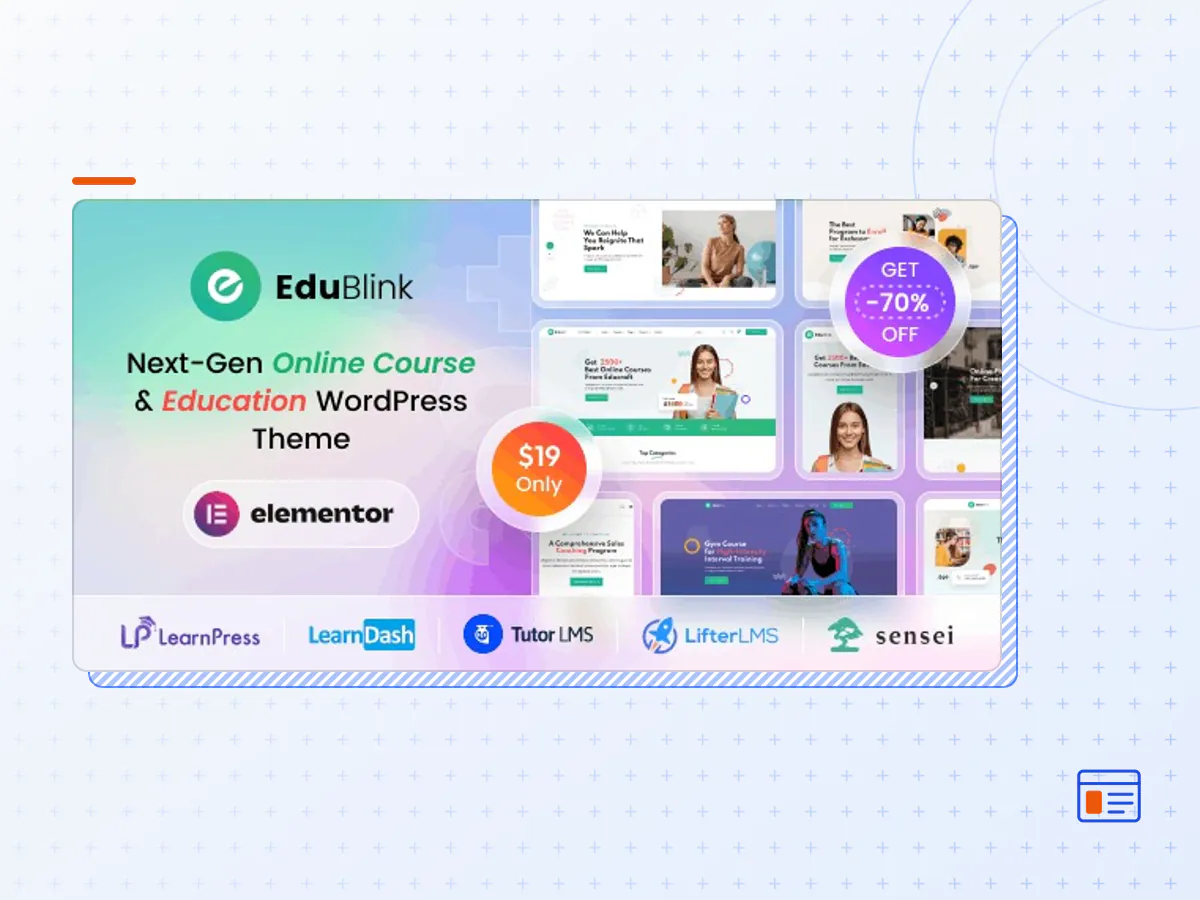
EduBlink - Education & Online Course WordPress Theme
- Type
- Theme
- Licence
- GNU GPL
- Delivery
- Instant download
- Access
- 12 months, or lifetime
- Sites
- Unlimited
Introducing EduBlink, the ultimate WordPress Theme designed to cater to a diverse range of industries, including Online Learning, Distant Learning, Yoga Coaching, Kindergarten, Quran Learning, Sales Coaching, University websites, Modern Schooling, Online Art, Kitchen Coaching, Health Coaching, Language Academies, Gym Training, Remote Training, Business Coach, Motivation Coach, Digital Marketing Coach, Programming Coach, Photography Coach, and more. With a collection of 22 professionally designed home pages and over 70 inner pages, EduBlink provides a comprehensive solution for creating a captivating online presence.
EduBlink seamlessly integrates with popular learning management system plugins such as LearnPress, LearnDash, Tutor LMS, Lifter LMS, Sensei, and Master Study, offering flexibility to choose the LMS that best suits your needs. The theme is fully compatible with Zoom Integration, allowing you to stay connected with your audience through live classes, webinars, and virtual events.
Organize and manage events effortlessly with EduBlink, which supports integrated payment methods for monetizing events. Choose from 15 distinct course layouts and enhance the learning experience with 5 different course details page layouts. EduBlink is also fully integrated with WooCommerce, enabling you to set up an online store effortlessly and sell courses, merchandise, or any other products related to your niche.
EduBlink – Education & Online Course WordPress Theme -> Feature List:
- 22 Unique Home Pages
- 5 Upcoming Home Pages
- 70+ inner pages
- Zoom Integration
- Event Management System with WP Events Manager & The Events Calendar
- Course Filter Option
- CounterUp/CountDown
- Mouse Move/Parallax Effect
- Responsive Gallery/Masonry with Filter Option
- Used Swiper Slider
- Responsive Layout
- Mega Menu
- Working Contact Form
- Google Font
- Blazing Fast Loading Speed
- Fully Compatible for All Major Browsers Such as Firefox, Safari, Chrome, Internet Explorer 9+
- Well Documented
- Cross Browser Optimization
- Valid HTML5 / CSS3
- SCSS Compatible
- Clean and Commented Code
- W3 Validate Markup
- 100% valid W3 web standards.
- Beautiful and Unique Design
- Eye Catching Animation
- Life Time Free Update
- Top Notch Support
- Online & Offline Documentation
- The EduBlink theme package as the developer released it.
- The installable theme .zip, plus whatever else the developer ships with it — often a child theme and documentation.
- GPL licensing: use it on as many sites as you like, for yourself or for clients.
- A year of downloads and newer versions with a single purchase, or permanent access with the lifetime upgrade.
- Also unlocked by every membership plan, together with the rest of the theme catalogue.
Not included
- A licence key from the developer — demo importers or bundled-plugin updates that check a key on the developer's servers may need manual steps.
How to install EduBlink
- 1Download EduBlink from Downloads in your account.
- 2If the download holds several files, unzip only that outer package and find the installable theme .zip (usually named after the theme).
- 3In WordPress open Appearance → Themes → Add New Theme → Upload Theme, choose that .zip and click Install Now.
- 4Activate the theme. If it recommends companion plugins, install them from the notice it shows.
- 5Optional: import the demo content from the theme's own setup screen, then replace the demo text and images with yours.
Using a child theme keeps your custom CSS and template edits safe when you upload a newer version of the parent theme.
Is EduBlink the original theme?
Yes — the package is the developer's release, unmodified, redistributed under the GNU GPL. WordPress GPL sells the download and updates; it does not issue vendor licence keys.
Will the EduBlink demo import work?
Usually, yes. Most demo importers run inside WordPress. A few download demo files from the developer's servers and check a licence key first; in that case you can still build the pages yourself with the bundled templates.
How do theme updates work?
When a newer version of EduBlink reaches our catalogue it replaces the file in your account. Upload it over the current theme (Appearance → Themes → Add New Theme → Upload Theme) and WordPress replaces it while keeping your settings.
What if the theme doesn't work?
Contact us with your order number. If the file is broken or clearly not what this page describes and we can't fix it, you get a refund within 14 days of purchase.