Divi Pixel - Powerful Tools for Divi Pros
- Type
- Plugin
- Category
- Other Plugins
- Licence
- GNU GPL
- Delivery
- Instant download
- Access
- 12 months, or lifetime
- Sites
- Unlimited
Divi Pixel
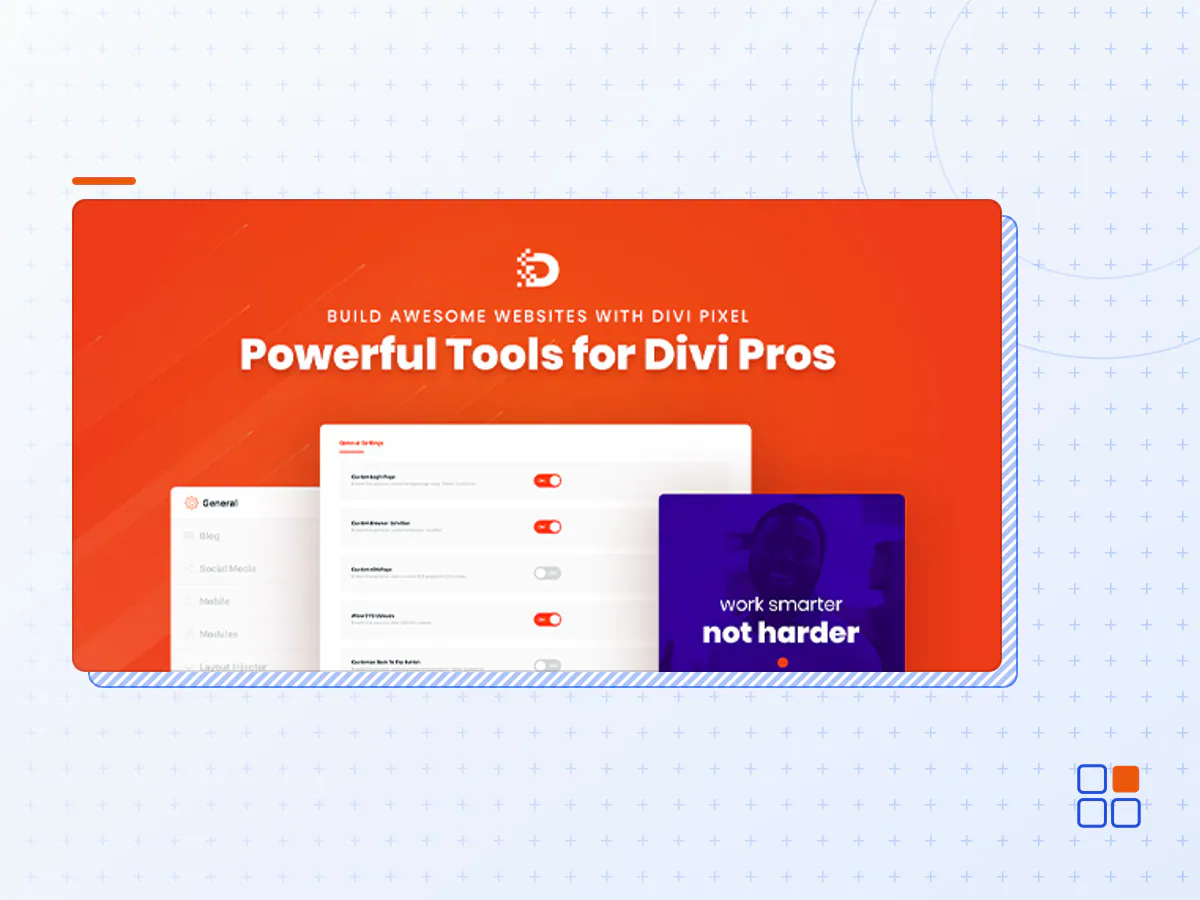
Divi Pixel is a powerful tool built for Divi by Elegant Themes. We’ve spent months crafting advanced settings and custom modules. It comes with hundreds of customization options and 45+ powerful Divi Builder custom modules, which will incredibly extend your website’s functionality!
With Divi Pixel, you can customize your Divi website like never before. The built-in settings allow you to create an unforgettable user experience easily!
See Why People Love Divi Pixel
Lightweight
Divi Pixel is built for performance. It follows the best WordPress development standards.
World-Class Support
Our dedicated support team is friendly and has experience in helping thousands of customers.
Regular Updates
We strive to keep Divi Pixel on the cutting edge of functionality. Get free updates with bug fixes and new features.
Free Layout Packs
Divi Pixel Layout Packs are one of our flagship features! Get access to our beautiful and professional templates right now.
WordPress Multisite
Divi Pixel is 100% compatible and well tested on WordPress multisite network installations.
High Performance
We are working hard to provide optimized and fast all-in-one plugin for Divi by utilizing the best programming practices.
PLUGIN SETTINGS
Over 200 Custom Options at your fingertips
Enable and disable custom settings using the powerful and intuitive user interface and take your Divi website to the next level! Divi Pixel allows you to customize headers, footers, login pages, back-to-top buttons, and upload custom map markers and SVG images, and much, much more. It’s a complete solution for powering up your Divi business!
CUSTOM MODULES
45+ Fully Customizable and Powerful Divi Modules
Custom Divi modules are a core element of the Divi Pixel Plugin, and it comes with 45+ custom-crafted modules that will enhance your Divi Builder, and provide you with so many more possibilities. Build interactive websites and amaze your customers with fully customizable and powerful modules.
POPUP MAKER
Easily Create Elegant Popups and Display Any Content
Create high converting unlimited popups with various features in just a few minutes that fit all your marketing needs. Transform your traffic into leads, sales and signups with the Divi Pixel Popup Maker. It comes with 19 beautiful animations that will help you grab user attention quickly. Design any popup you want using the Divi Builder, select animation, position, customize the close button and more!
- The Divi Pixel plugin archive (.zip), exactly as the developer released it.
- Uploads straight from the WordPress dashboard — no FTP or extra tools needed.
- GPL licensing: install it on every site you manage, client sites included.
- A year of downloads and newer versions with a single purchase, or permanent access with the lifetime upgrade.
- Also unlocked by every membership plan, together with the rest of the plugin catalogue.
Not included
- A licence key from the developer — features that run on the developer's own servers (cloud services, vendor auto-updates, vendor support) may be unavailable.
How to install Divi Pixel
- 1Download Divi Pixel from Downloads in your account. Keep the file zipped.
- 2In your WordPress dashboard open Plugins → Add New Plugin and click Upload Plugin.
- 3Choose the .zip, click Install Now, then Activate.
- 4Open the Divi Pixel settings screen and configure it for your site.
- 5If a notice asks for a licence key you can dismiss it; the plugin itself runs without one.
To update later, download the newer version from your account and upload it the same way — WordPress offers to replace the installed copy and keeps your settings.
Is this the developer's original Divi Pixel file?
Yes. The archive is the release the developer published, with nothing added or removed. It is distributed under the GNU GPL, which is what allows WordPress GPL to offer it; you are buying the download and updates, not a licence key from the vendor.
Can I use Divi Pixel on client websites?
Yes. The GPL places no limit on the number of sites, so you can install it on your own projects and on sites you build for clients.
How do I get newer versions of Divi Pixel?
When a newer release reaches our catalogue it replaces the file in your account, and you can request one from this page if you need it sooner. A single purchase covers a year of downloads (or longer with the lifetime upgrade); a membership covers updates while it is active.
Does it come with support from the developer?
No — vendor support is tied to a licence bought from the developer. We help with downloading and installing the file, and if it turns out to be broken you can ask for a refund within 14 days.