Challan Pro - WooCommerce PDF Invoices and Packing Slips Pro by WebAppick
- Type
- Plugin
- Licence
- GNU GPL
- Delivery
- Instant download
- Access
- 12 months, or lifetime
- Sites
- Unlimited
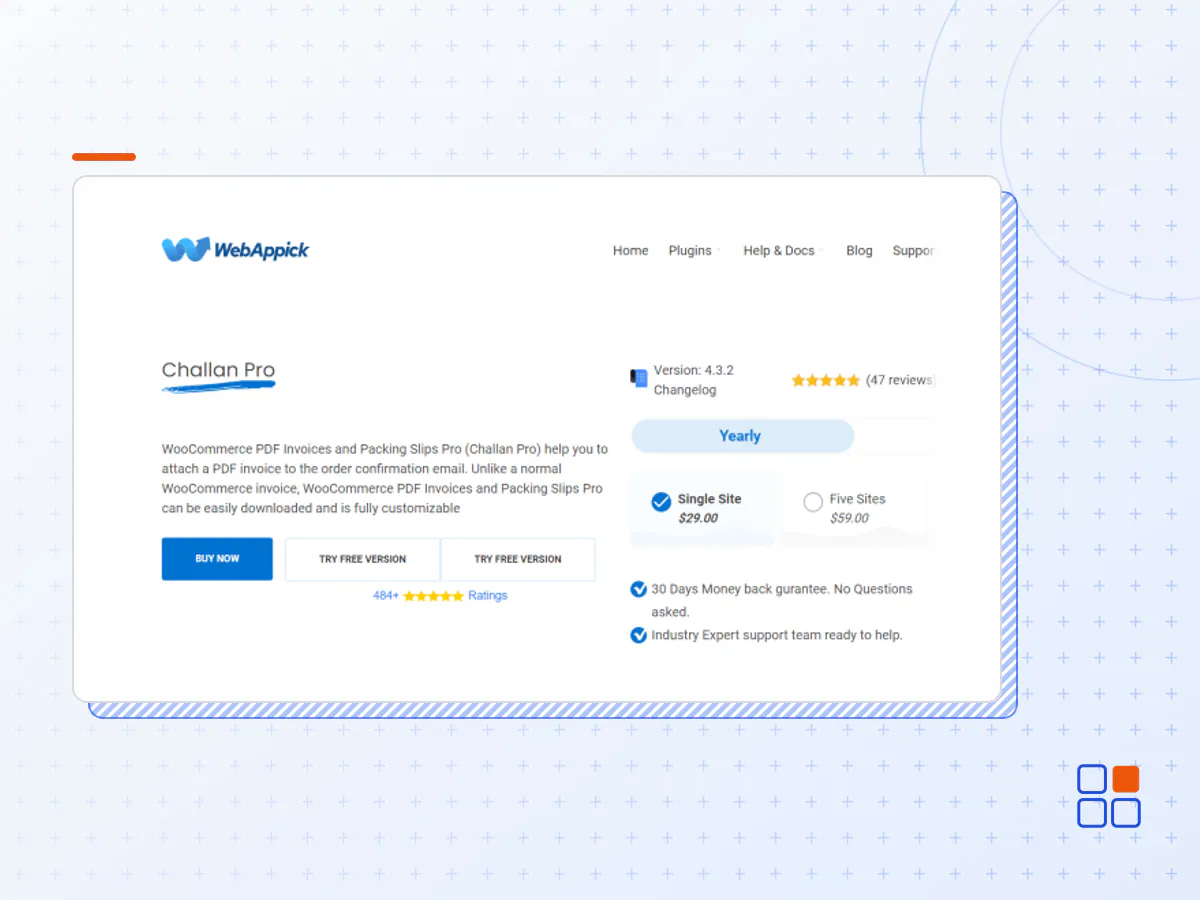
WooCommerce PDF Invoices and Packing Slips Pro (Challan Pro) help you to attach a PDF invoice to the order confirmation email. Unlike a normal WooCommerce invoice, WooCommerce PDF Invoices and Packing Slips Pro can be easily downloaded and is fully customizable
Automated Invoicing
This WooCommerce PDF invoice plugin automatically generates woocommerce invoice when orders are created and sends immediately to your valued customers when order status changed to your configured status.
Order Meta
When viewing WooCommerce order items, you or your clients might want to have additional information on it. WooCommerce PDF Invoice and Packing Slip Pro (challan Pro) has an option that allows you to add order Meta into invoice info section. With adding order Meta you will be able to include additional information into the invoice.
VAT & SSN field
WooCommerce PDF invoice plugin has an option to add VAT & SSN field into the checkout page. Once you have added the VAT & SSN field into the checkout page, you can display it into the invoice. Having the VAT & SSN field in the checkout page makes the customer easily understand the cost they are paying.
Product Image
The premium version of WooCommerce PDF Invoice and Packing Slip comes with and amazing ability to include the product image on the Invoice. The product image on the invoice makes the invoice look professional and it is easy to understand the purchase at a glance from a customer’s view point.
- Compatibility With ZATCA QR Code
In Saudi Arabia, you must need e-invoices generated by the sophisticated, compliant electronic system as long as you are a resident and taxpayer. Your e-invoices must have the fields mandated by the tax committee for smooth-level invoice storage. For that, you need a QR code that lets your customers get insight into the products or services you are offering and the essential information like VAT if your customers are VAT registered. Challan is compatible with this specific law of Saudi, known as ZATCA. You can grab the QR code within the invoice using your phone camera and acknowledge everything you need for approval by the tax authority.
- Easy Setup
WooCommerce PDF Invoice pro (challan Pro) plugin is straightforward to set up. You can efficiently manage the process of creating and printing invoices automatically, with the help of this Invoice and Packing Slips generator plugin.
- Tax
WooCommerce PDF Invoice ( challan ) supports woocommerce multiple tax classes (rates). Some countries require Total Excluding Tax, net amount, tax rate and tax amount, which you can display on the invoice optionally.
- Paid Stamp
Include Paid Stamp in your invoice. Paid Stamp indicates that the bill is already paid. You can select any of the Paid Stamp design from the list and mark invoices as paid.
- Signature
challan Pro allows you to attach your signature with invoices. Just click on upload signature option in the Invoice section to upload the image of your signature that you want to show in the pdf invoice.
- Packing Slip
Using this plugin, you can also generate, customize, and print the woocommerce packing slips. You can print a woocommerce packing slip for a single order, as well as print multiple packing slips as a batch for multiple order by date range. Also, there is an option to print the packing slip for an individual product of order.
- Bulk Download
With this woocommerce invoice plugin, an individual invoice or a specific invoice or a list of invoices by order date range can be downloaded. You can select from a start date to an end date you want to download Invoice and Packing Slip.
Multi Language Compatible
Take advantage of challan plugin, as it is WPML compatible. The invoice will use the translated product information and currency according to the language and currency which was used to place an order.
Delivery Address
WooCommerce PDF Invoice and Packing Slip Pro lets you print Shipping Label for any type you want. You can print Shipping Label for a single order, or print Shipping Label as a batch for multiple orders. You can generate a shipping label list by order date range as well.
Paper Size
challan allow you to select invoice size from different options. With WooCommerce PDF Invoice and Packing Slip Pro you have the freedom to select Custom Paper Size including A3, A4, A5, and Letter. This ability is making challan different from other plugins found on the market, because challan gives you the freedom of customizing your Invoice in the maximum possible way.
Product Attribute
challan allow you add product attributes to the invoice next to the product. So that the whole purchase summary can be understood with just taking a look at it. Usually, shoppers would like to add Description, Category, and Tags into the invoice. Not only that makes your invoice a full-proof invoice, but also it makes the shopping experience more professional.
Static Files
Including a static file is a great option to make your invoice even more functional. Static files lets you attach additional documents such as a PDF file with the order confirmation email. You can attach the Terms & Condition, Refund Policy, User Manual or any other important document with the invoice. It comes handy with the shops those contains digital goods.
Customization
WooCommerce PDF Invoice and Packing Slip Pro gives you the most customization ability with the invoice. You can seamlessly customize all invoice static texts. This ability allows you to design your invoice just the way you want it to be. So that, it doesn’t look like a automated computer generated invoice, it becomes a signature of your shop
Multiple Type Products
WooCommerce PDF Invoice and Packing Slip Pro has the support for multiple types of products of your shop. In addition to the simple products, challan supports bundle product, as well as the composite product. Product bundles are several individual goods and composite products are usually are the product kits consisting of multiple configurable components.
Product Meta
Show any types of product-related information on the PDF invoice by adding the Product Meta. You can add as many Product Meta as you want. Just give the Product Meta a label and choose from all the available Product Meta from the dropdown.
Order Item Meta
This feature allows you to add and display unlimited Order Item Meta data on your PDF invoice. Just put a label for the Item Meta and select the preferred Order Item Meta data such as quantity, product ID, and variation ID from the dropdown list.
Sequential Order Number
A Sequential Order Numbers plugin allows your store to have sequential, rather than random, order numbers. With such plugins you can customize your order numbers by setting a starting number, order number length, and custom prefixes and suffixes. WooCommerce PDF Invoice and Packing Slip Pro is compatible with all sequential order number plugin. So, you have zero compatibility issues with any Sequential Order Numbers plugin while using Woo Invoice Pro
Woo Subscription Compatibility
This woocommerce Invoice plugin is compatible with WooCommerce Subscriptions plugin emails. With WooCommerce Subscriptions, you can create and manage products with recurring payments. And since WooCommerce PDF Invoice and Packing Slip Pro supports WooCommerce Subscriptions plugin emails, you don’t have to worry about invoicing with any recurring payments.
- The Challan Pro plugin archive (.zip), exactly as the developer released it.
- Uploads straight from the WordPress dashboard — no FTP or extra tools needed.
- GPL licensing: install it on every site you manage, client sites included.
- A year of downloads and newer versions with a single purchase, or permanent access with the lifetime upgrade.
- Also unlocked by every membership plan, together with the rest of the plugin catalogue.
Not included
- A licence key from the developer — features that run on the developer's own servers (cloud services, vendor auto-updates, vendor support) may be unavailable.
How to install Challan Pro
- 1Download Challan Pro from Downloads in your account. Keep the file zipped.
- 2In your WordPress dashboard open Plugins → Add New Plugin and click Upload Plugin.
- 3Choose the .zip, click Install Now, then Activate.
- 4Open the Challan Pro settings screen and configure it for your site.
- 5If a notice asks for a licence key you can dismiss it; the plugin itself runs without one.
To update later, download the newer version from your account and upload it the same way — WordPress offers to replace the installed copy and keeps your settings.
Is this the developer's original Challan Pro file?
Yes. The archive is the release the developer published, with nothing added or removed. It is distributed under the GNU GPL, which is what allows WordPress GPL to offer it; you are buying the download and updates, not a licence key from the vendor.
Can I use Challan Pro on client websites?
Yes. The GPL places no limit on the number of sites, so you can install it on your own projects and on sites you build for clients.
How do I get newer versions of Challan Pro?
When a newer release reaches our catalogue it replaces the file in your account, and you can request one from this page if you need it sooner. A single purchase covers a year of downloads (or longer with the lifetime upgrade); a membership covers updates while it is active.
Does it come with support from the developer?
No — vendor support is tied to a licence bought from the developer. We help with downloading and installing the file, and if it turns out to be broken you can ask for a refund within 14 days.