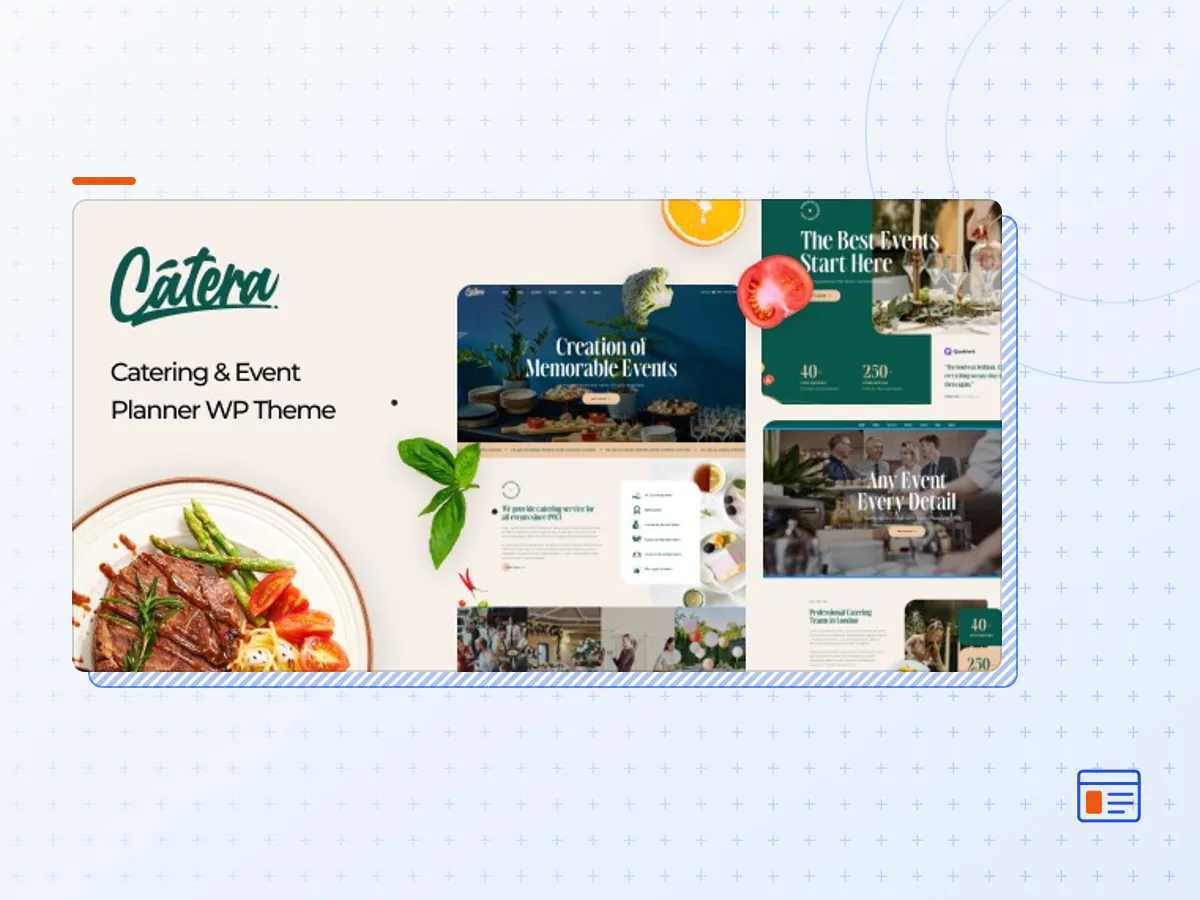
Catera - Catering & Event Planner WordPress Theme
- Type
- Theme
- Licence
- GNU GPL
- Delivery
- Instant download
- Access
- 12 months, or lifetime
- Sites
- Unlimited
CATERA – CATERING & EVENT PLANNER WORDPRESS THEME
Catera is an exquisite and highly versatile WordPress theme designed to elevate the online presence of catering and event planning businesses. This theme seamlessly combines style and functionality to create a virtual showcase for your catering and event planning services.
With its modern and elegant design, Catera ensures that your website becomes a captivating gateway for both clients and event enthusiasts. The theme boasts a rich array of features and customization options that enable you to reflect your brand’s unique identity with ease.
Your clients and visitors will enjoy a smooth and intuitive browsing experience, whether they’re accessing your site on a desktop, tablet, or mobile device. Catera is fully responsive, ensuring a consistent and enjoyable user experience across various platforms.
Catera is your key to creating an online representation of your catering and event planning business that is not only visually appealing but also user-friendly and effective. Elevate your online presence, attract new clients, and captivate your audience with the alluring charm of Catera.
Be Awesome with One of The Catering & Event Planner Wordpress Theme – Catera
- Mobile Optimization
- 3+ Demo Homepages
- Advanced Search System
- Mega Menu
- Prebuilt Blog Page
- Elementor Page Builder
- Plenty of powerful Plugins Compatibility
- Fast Loading Speed
- Contact Form 7 Included
- WordPress 6.x tested and approved
- Premade widgets to build content more easier
- Built with HTML5 and CSS3
- Optimized for Speed, Search Engine Optimization, Mobile Optimized, Highly Conversion Rate Optimization, and Unlimited Customize
- Clean, modern, multi-purpose design can be used for any type of websites
- Elaborated clean code for your convenience
- Cross-browser compatibility: Chrome, Firefox, Safari, Opera
- Totally Responsive Design
- Different sidebars variations
- Amazing parallax effects both on rows and content
- Fast and perfect performance while viewing
- Awesome Pre-Built Homepages
- And much more
Disclaimer
SITE-SPECIFIC OPTIONS
While the demo content closely resembles our demos, there are a few site-specific settings that require manual configuration for your convenience. This includes links to your social accounts, widgets, and other elements.
LANDING PAGE
The initial preview is a landing page designed to promote our product and showcase various demos. It is not included in the theme package.
IMAGE CREDITS
The images displayed in the live preview are exclusively intended for demonstration purposes and should be substituted with the customer’s own licensed images in their final product.
PAGE SPEED
The page speed score mentioned on the item’s page is provided for reference and is dependent on the selected demo, theme, server configuration, and content. Some theme features may have a negative impact on page speed scores.
- The Catera theme package as the developer released it.
- The installable theme .zip, plus whatever else the developer ships with it — often a child theme and documentation.
- GPL licensing: use it on as many sites as you like, for yourself or for clients.
- A year of downloads and newer versions with a single purchase, or permanent access with the lifetime upgrade.
- Also unlocked by every membership plan, together with the rest of the theme catalogue.
Not included
- A licence key from the developer — demo importers or bundled-plugin updates that check a key on the developer's servers may need manual steps.
How to install Catera
- 1Download Catera from Downloads in your account.
- 2If the download holds several files, unzip only that outer package and find the installable theme .zip (usually named after the theme).
- 3In WordPress open Appearance → Themes → Add New Theme → Upload Theme, choose that .zip and click Install Now.
- 4Activate the theme. If it recommends companion plugins, install them from the notice it shows.
- 5Optional: import the demo content from the theme's own setup screen, then replace the demo text and images with yours.
Using a child theme keeps your custom CSS and template edits safe when you upload a newer version of the parent theme.
Is Catera the original theme?
Yes — the package is the developer's release, unmodified, redistributed under the GNU GPL. WordPress GPL sells the download and updates; it does not issue vendor licence keys.
Will the Catera demo import work?
Usually, yes. Most demo importers run inside WordPress. A few download demo files from the developer's servers and check a licence key first; in that case you can still build the pages yourself with the bundled templates.
How do theme updates work?
When a newer version of Catera reaches our catalogue it replaces the file in your account. Upload it over the current theme (Appearance → Themes → Add New Theme → Upload Theme) and WordPress replaces it while keeping your settings.
What if the theme doesn't work?
Contact us with your order number. If the file is broken or clearly not what this page describes and we can't fix it, you get a refund within 14 days of purchase.