Business Reviews Bundle
- Type
- Plugin
- Category
- Other Plugins
- Licence
- GNU GPL
- Delivery
- Instant download
- Access
- 12 months, or lifetime
- Sites
- Unlimited
Why you should use Business Reviews Bundle plugin
The better way to increase user confidence and SEO with Business version
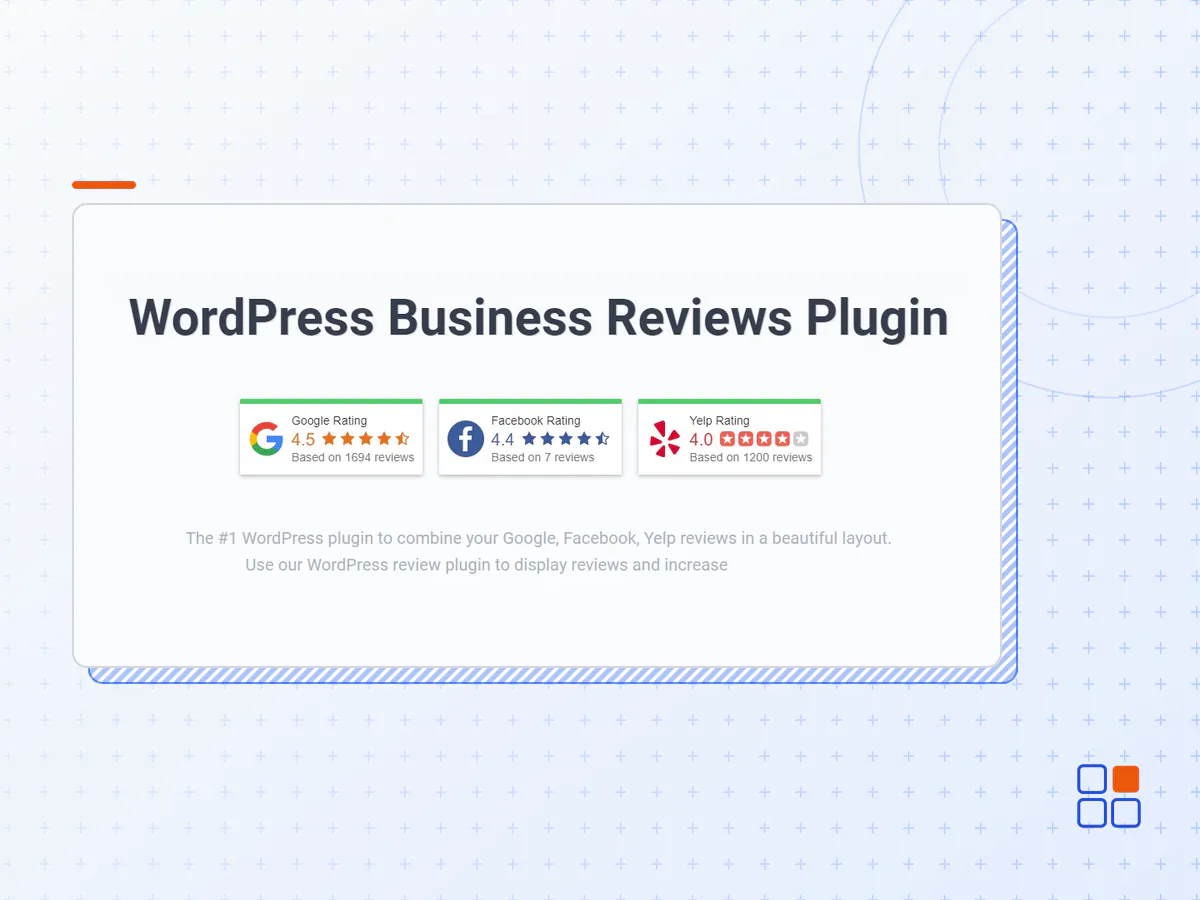
Useful Combined Reviews
The plugin combines your Google, Facebook and Yelp reviews from multiple locations, between each other in the single feed and merge ratings of the business places to show the summary score.
Custom Rating Template
Unique feature for developers and webmaster to create your own design using a template engine.
Write a Review Directly
Add 'Write a review' button straight on your WordPress site to increase the number of Google, Facebook and Yelp reviews.
Awesome Features
Powerful Collection Builder helps to create the best reviews feed with a live preview. You can use many features: beautiful themes (Slider, Grid, Trust Badges, List), shortcode support, rating & exclude/include words filters, hide empty reviews, sorting, hide & show any elements, style options and others.
All Features
All Google Reviews
The plugin uses a Google My Business API and can get all Google reviews, not just 5 like other similar plugins that use a public Google Places API.
User Confidence
The main goal of the plugin is increase a user trust. The real rating and reviews from Google or Facebook looks great directly on the site.
SEO
Search engines love new content on the site, which you can add via reviews. The plugin renders reviews directly in HTML and they are indexed.
Merge Businesses
Single or multiple businesses. No problem, the plugin works with both types. You can show this separately or merge into the one feed.
Awesome Themes
Five powerful and beautiful layouts: Slider, Reviews List, Fixed and Embedded Trust Badge, Reviews Grid with 2, 3 or 4 columns.
Business Photo
Opportunity to change or leave by default the business photo of any connected places.
Shortcode & Widget
To show reviews on your site, you just need to create a collection that can be used in the sidebar widget or as a shortcode anywhere on the page.
Universal HTML/JS Code
The unique feature is the third installation type - universal JavaScript code. This code can be paste to any HTML site, for instance the landing page.
Support Site Builders
The plugin works with all major site builders like Elementor, Site Origin and other.
Words Filter
Feature to include or exclude some reviews in the collection through the keywords filter. You can specify which specific reviews should be displayed by a keywords or author name.
Rating Filter
Ability to hide reviews with lower ratings and show only the best. This helps maintain a high opinion of your users about your business.
Trim Long Reviews
Some reviews returned by Google, Yelp or Facebook may be very long. The plugin has ability to collapses such reviews and add 'read more' links.
Any Sorting
Sort reviews by recent, oldest, highest score, lowest score or random. Also, the unique sorting method is striped, for instance: Google FB Yelp and etc.
Pagination
You can trim a high list or grid of reviews through pagination. Just type the number of visible reviews before 'See Next Reviews' link.
GDPR
If you care about GDPR, do not worry, the plugin has all the necessary features: hide reviewer photos, names or make last names shorter, like 'John D.'
- The Business Reviews Bundle plugin archive (.zip), exactly as the developer released it.
- Uploads straight from the WordPress dashboard — no FTP or extra tools needed.
- GPL licensing: install it on every site you manage, client sites included.
- A year of downloads and newer versions with a single purchase, or permanent access with the lifetime upgrade.
- Also unlocked by every membership plan, together with the rest of the plugin catalogue.
Not included
- A licence key from the developer — features that run on the developer's own servers (cloud services, vendor auto-updates, vendor support) may be unavailable.
How to install Business Reviews Bundle
- 1Download Business Reviews Bundle from Downloads in your account. Keep the file zipped.
- 2In your WordPress dashboard open Plugins → Add New Plugin and click Upload Plugin.
- 3Choose the .zip, click Install Now, then Activate.
- 4Open the Business Reviews Bundle settings screen and configure it for your site.
- 5If a notice asks for a licence key you can dismiss it; the plugin itself runs without one.
To update later, download the newer version from your account and upload it the same way — WordPress offers to replace the installed copy and keeps your settings.
Is this the developer's original Business Reviews Bundle file?
Yes. The archive is the release the developer published, with nothing added or removed. It is distributed under the GNU GPL, which is what allows WordPress GPL to offer it; you are buying the download and updates, not a licence key from the vendor.
Can I use Business Reviews Bundle on client websites?
Yes. The GPL places no limit on the number of sites, so you can install it on your own projects and on sites you build for clients.
How do I get newer versions of Business Reviews Bundle?
When a newer release reaches our catalogue it replaces the file in your account, and you can request one from this page if you need it sooner. A single purchase covers a year of downloads (or longer with the lifetime upgrade); a membership covers updates while it is active.
Does it come with support from the developer?
No — vendor support is tied to a licence bought from the developer. We help with downloading and installing the file, and if it turns out to be broken you can ask for a refund within 14 days.