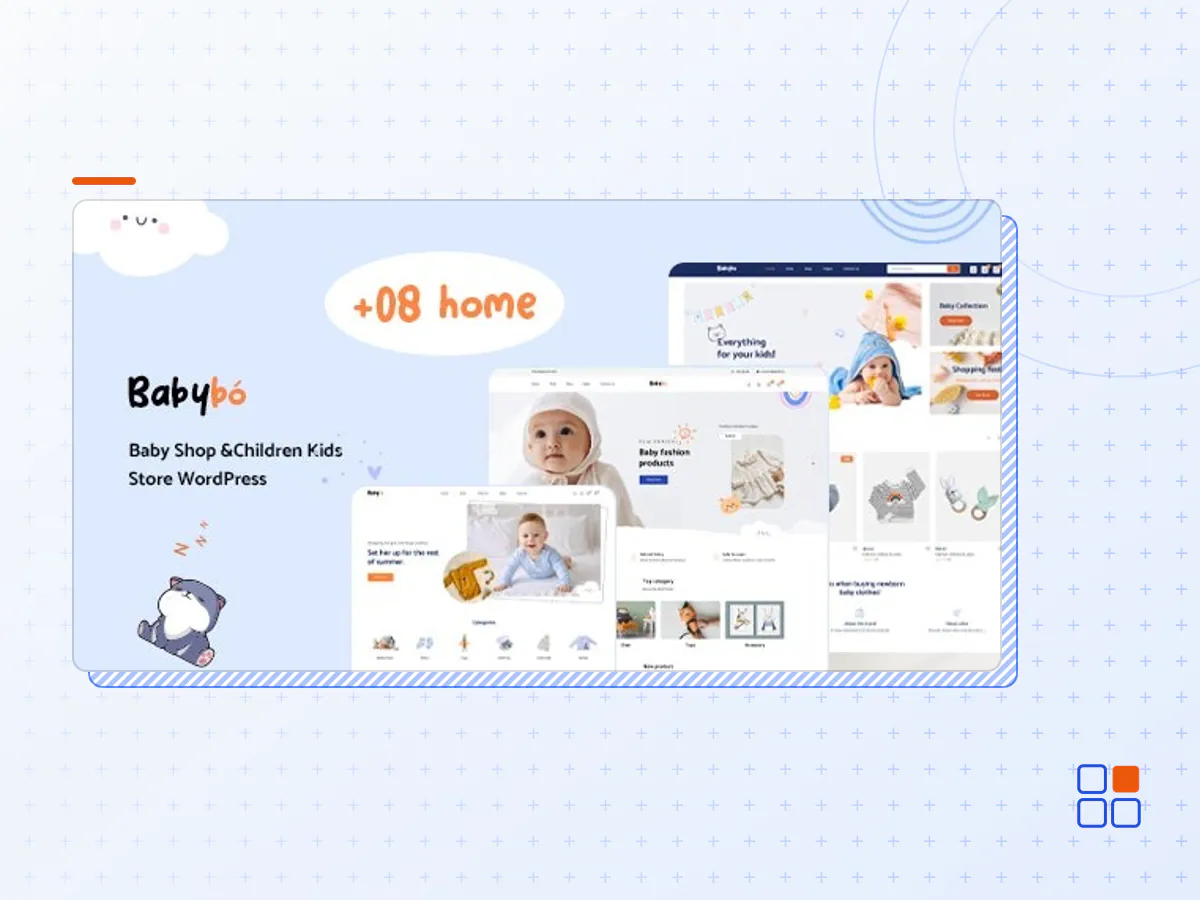
BabyBo - Baby Shop and Children Kids Store WordPress
- Type
- Plugin
- Licence
- GNU GPL
- Delivery
- Instant download
- Access
- 12 months, or lifetime
- Sites
- Unlimited
Babybo – Kids Store WooCommerce Theme
Babybo by Wpbingo is a strong WP theme for Kids Store and Baby Shop WooCommerce stores. It uses the latest version of Bootstrap as the back-end framework, and you’ll easily find the design of this theme impressive and suitable for your store. Babybo puts a lot of emphasis on aligning products based on their categories. Yet it also highlights how certain web components. A Design that integrates components to highlight special products.
Babybo is built on the Elementor plugin, so you can easily drag and drop to customize the website to your liking, besides Babybo is compatible with 3 Multi Vendor plugins (MultiVendorX, Wc Vendor, Dokan) to help you build Multil Vendor websites.
Babybo has widgets for displaying the top-selling products. Banner sliders that display featured products and trending products. Product categories feel smooth in the user experience. Plus, the search function is as extensive as you’d like for it to be, especially for an eCommerce store. Customers can define their search based on categories, availability, product conditions, brands, price ranges, sizes, colors, and various other custom specifications. In short. Babybo is the theme for you!
About Multi Vendor Compatibility
Compatibility: This theme works well for 3rd party plugins (Example: MultiVendorX , Wc Vendors or Dokan). This theme will not have any errors when you install and optionally add these plugins. You can customize the Multi Vendor plugin and they are not required for the theme to be installed and used.
Working: If you install Multi Vendor plugins, they will not conflict and still work on the theme, however properties through the plugin, can only be managed in the plugin’s configuration, not managed through the topic. Because the properties of Multi Vendor are managed through different databases. Plugin developers do not provide this access.
Features List:
- Multi-Purpose Design
- Right To Left Support
- Plenty of Widgets
- Support Multi Vendors
- Login Ajax
- Cart Ajax / Cart Page Ajax
- Live Ajax Search
- Multiple Page Styles
- Social Sharing Features
- SEO Optimized
- Responsive Design
- Unlimited Colors & Layouts
- 8+ Unique Homepage Layouts: More Amazing Concepts Are Coming Soon!
- One click import all demo
- 24+ shortcodes for Elementor and updating..
- 12 Banner Effect Support
- Unlimited Different 8 Headers & 4 Footers (Footer Builder, building footer your way)
- Products Instant search
- Filter Ajax Home Page
- Filter Ajax Shop
- Shop Infinity
- Shop Load More
- 21+ Layouts And Styles Shop
- Product Sticky Details
- Product Frequently Bought Together
- Product Sticky ATC
- Product 360 Degree
- Product Video
- Product Fullwidth
- Product Variable Swatches (color, size, image…)
- Elementor
- WPML – Multilingual Support
- Fully Responsive (Tested on Multiple Devices)
- HTML5 and CSS3 Tableless Design
- Powerful for WooCommerce
- Support WPC Smart Wishlist for WooCommerce
- Support WPC Smart Compare for WooCommerce
- Corlor Attributes Swatches
- Mega Menu (Mega Menu Builder, building Mega Menu your way)
- Sticky Header
- Powerful Theme Options
- Validate HTML5 Code
- Cross-browser compatibility
- Elegant Animations
- 500+ Google Fonts with Preview Capability
- Elegant Design Style
- Shop Grid View and List View supported
- Loading Products with Ajax & Lazy Load
- Nice Rollover Effect For Products View
- Images With jQuery Inner Zoom
- Ajax: Add To Cart, Wishlist
- Clean Block Cart
- Friendly menu on mobile
- Blog layouts: List,Grid,Masonry
- 404 page customizable
- Supported smooth scroll effect
- Easy To Customize
- FAST Support & Updates
- Notify Me
- Real Time Visitor
- Product Recently Viewed
- Trust Badge
- Pre-order Product
- And Much Much More…
- The BabyBo plugin archive (.zip), exactly as the developer released it.
- Uploads straight from the WordPress dashboard — no FTP or extra tools needed.
- GPL licensing: install it on every site you manage, client sites included.
- A year of downloads and newer versions with a single purchase, or permanent access with the lifetime upgrade.
- Also unlocked by every membership plan, together with the rest of the plugin catalogue.
Not included
- A licence key from the developer — features that run on the developer's own servers (cloud services, vendor auto-updates, vendor support) may be unavailable.
How to install BabyBo
- 1Download BabyBo from Downloads in your account. Keep the file zipped.
- 2In your WordPress dashboard open Plugins → Add New Plugin and click Upload Plugin.
- 3Choose the .zip, click Install Now, then Activate.
- 4Open the BabyBo settings screen and configure it for your site.
- 5If a notice asks for a licence key you can dismiss it; the plugin itself runs without one.
To update later, download the newer version from your account and upload it the same way — WordPress offers to replace the installed copy and keeps your settings.
Is this the developer's original BabyBo file?
Yes. The archive is the release the developer published, with nothing added or removed. It is distributed under the GNU GPL, which is what allows WordPress GPL to offer it; you are buying the download and updates, not a licence key from the vendor.
Can I use BabyBo on client websites?
Yes. The GPL places no limit on the number of sites, so you can install it on your own projects and on sites you build for clients.
How do I get newer versions of BabyBo?
When a newer release reaches our catalogue it replaces the file in your account, and you can request one from this page if you need it sooner. A single purchase covers a year of downloads (or longer with the lifetime upgrade); a membership covers updates while it is active.
Does it come with support from the developer?
No — vendor support is tied to a licence bought from the developer. We help with downloading and installing the file, and if it turns out to be broken you can ask for a refund within 14 days.