Axtra | Digital Agency Creative Portfolio Theme
- Type
- Theme
- Licence
- GNU GPL
- Delivery
- Instant download
- Access
- 12 months, or lifetime
- Sites
- Unlimited
Meet Axtra!
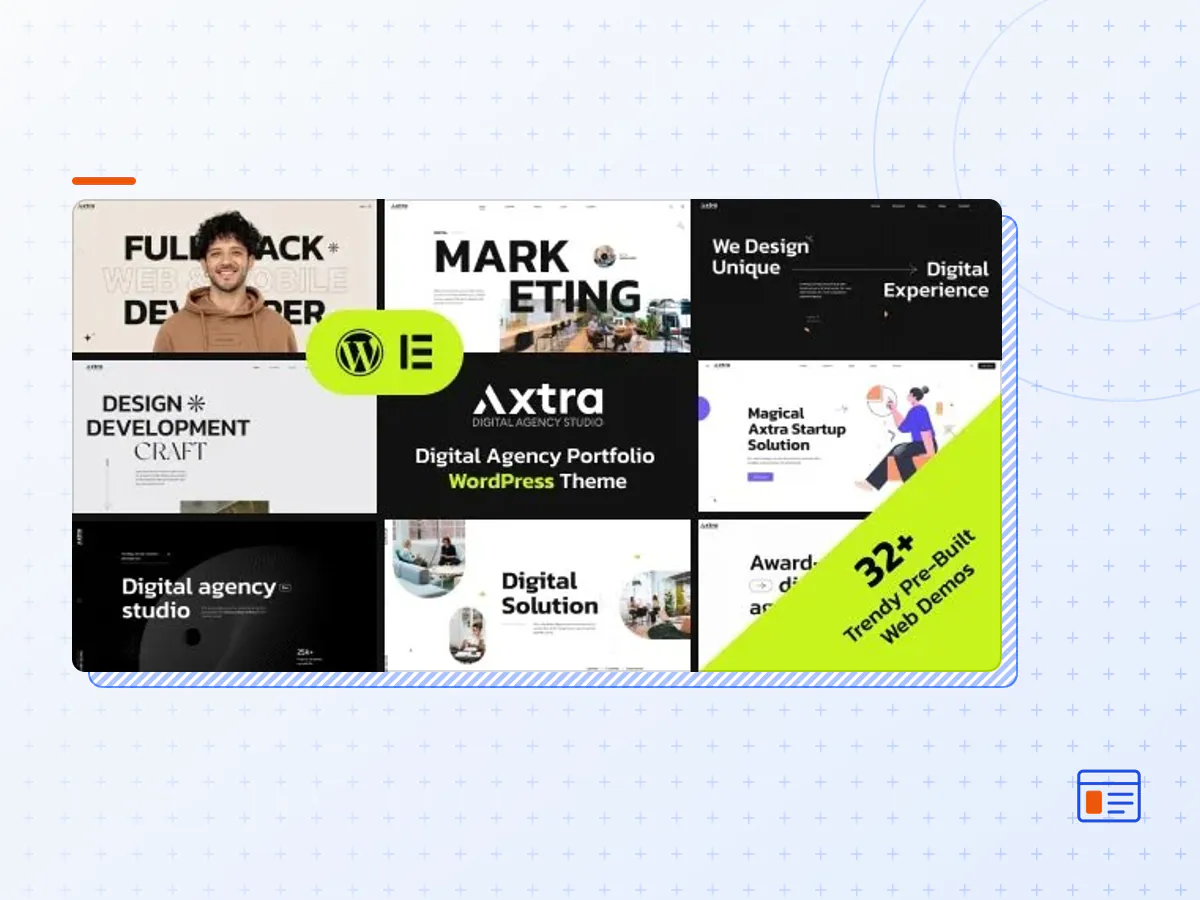
Axtra is the all-in-one Agency and portfolio showcase builder with ultra-high performance, exclusive features, and an award-winning design collection. It includes 32+ pre-built demos, 200+ section templates, and 50+ inner pages.
Axtra is a cutting-edge Wordpress theme perfect for digital agencies, design studios, digital marketing agencies, portfolio showcases, personal portfolios, web design/development agencies, and start-up businesses. This theme is specifically designed for those looking to establish a professional and modern web presence for their design or software business.
Featuring an award-winning design with engaging animations and smooth scrolling, Axtra offers an immersive and user-friendly experience. The theme is highly customizable, allowing you to tailor the animation, cursor, color scheme and more to suit your needs. Additionally, detailed documentation is provided to guide you through the customization process.
Fully responsive and compatible across all devices and browsers, including Firefox, Chrome and Internet Explorer, Axtra’s design adapts seamlessly to any screen size, from laptops to tablets and smartphones.
Features Overview
- Responsive Layout Design:
Whatever you are using the device your site will run as it should be. The Axtra is a fully responsive layout for all types of devices.
- 60+ Valid HTML Inner pages:
One of the standout features of Axtra is its extensive collection of over 60 pre-designed inner pages, providing a wealth of options for your website’s layout and content.
- Custom Blog Templates:
There are 3 different bogs layouts and 2 blog details layout.
Main Features
- 32+ Unique Home pages including Dark and Light Version
- 60+ Inner pages including Dark and light
- Next Generation Animation Builder
- Next Generation Themeoption
- Award Winning Design concepts
- Smooth Scrolling Effect
- Fully responsive design, optimized for all devices.
- Customizable portfolio with multiple layout options and filtering capabilities.
- Built-in support for video and audio content.
- Easy integration with popular social media platforms, such as Instagram and Dribbble.
- Advanced customizations options for the homepage, including the ability to add sliders, galleries, and more.
- Built-in contact form and Google Maps integration for easy contact and location information.
- Advanced blog functionality, including support for multiple post formats and featured images.
- Customizable typography options, including support for Google Fonts.
- Built-in support for popular plugins, such as WooCommerce and Yoast SEO.
- Detailed documentation and dedicated support for easy setup and customization.
- 4 Different Navigation
- Sticky Navigation
- Advanced Typography
- 100% Fluid Responsive – Fits any device perfectly
- Tested on real devices
- User friendly interface
- Flexible Layout
- Flat, modern and clean design
- Mobile friendly mobile menu
- Pixel Perfect Design
- Modern Design
- Cross Browser Compatible
- Unique effects and functionality
- SEO friendly
- Easy to Customize
- Life time FREE updates
- Well Documented and More…
- The Axtra theme package as the developer released it.
- The installable theme .zip, plus whatever else the developer ships with it — often a child theme and documentation.
- GPL licensing: use it on as many sites as you like, for yourself or for clients.
- A year of downloads and newer versions with a single purchase, or permanent access with the lifetime upgrade.
- Also unlocked by every membership plan, together with the rest of the theme catalogue.
Not included
- A licence key from the developer — demo importers or bundled-plugin updates that check a key on the developer's servers may need manual steps.
How to install Axtra
- 1Download Axtra from Downloads in your account.
- 2If the download holds several files, unzip only that outer package and find the installable theme .zip (usually named after the theme).
- 3In WordPress open Appearance → Themes → Add New Theme → Upload Theme, choose that .zip and click Install Now.
- 4Activate the theme. If it recommends companion plugins, install them from the notice it shows.
- 5Optional: import the demo content from the theme's own setup screen, then replace the demo text and images with yours.
Using a child theme keeps your custom CSS and template edits safe when you upload a newer version of the parent theme.
Is Axtra the original theme?
Yes — the package is the developer's release, unmodified, redistributed under the GNU GPL. WordPress GPL sells the download and updates; it does not issue vendor licence keys.
Will the Axtra demo import work?
Usually, yes. Most demo importers run inside WordPress. A few download demo files from the developer's servers and check a licence key first; in that case you can still build the pages yourself with the bundled templates.
How do theme updates work?
When a newer version of Axtra reaches our catalogue it replaces the file in your account. Upload it over the current theme (Appearance → Themes → Add New Theme → Upload Theme) and WordPress replaces it while keeping your settings.
What if the theme doesn't work?
Contact us with your order number. If the file is broken or clearly not what this page describes and we can't fix it, you get a refund within 14 days of purchase.