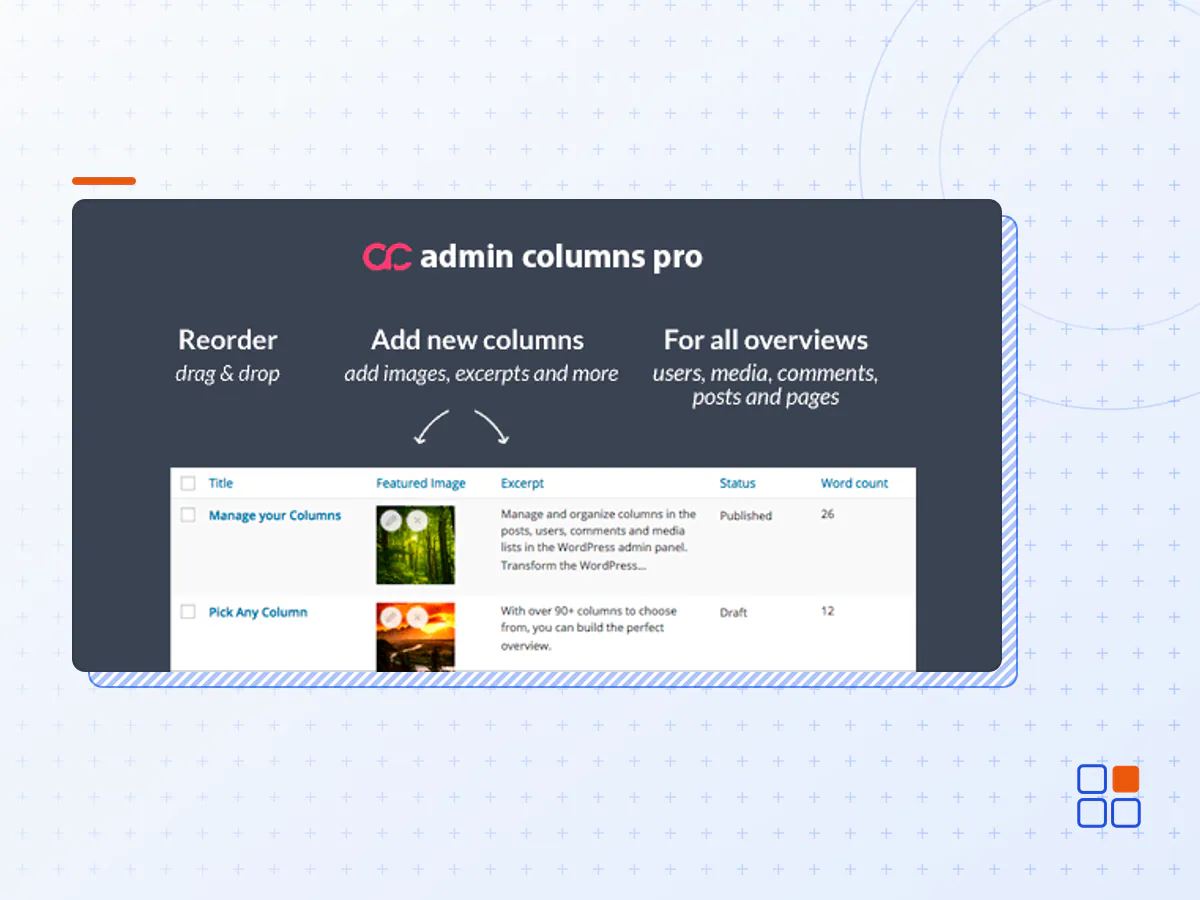
Admin Columns Pro - Manage Columns in WordPress
- Type
- Plugin
- Category
- Admin Columns Pro
- Licence
- GNU GPL
- Delivery
- Instant download
- Access
- 12 months, or lifetime
- Sites
- Unlimited
Effortlessly sort, filter, edit, and organize content in the WordPress admin
Manage content in WordPress at scale. Add custom columns to the WordPress admin with sorting, filtering and (bulk) editing. Support for hundreds of column types (including WooCommerce, ACF, and Yoast), and even easy export.
Organise, find and update WordPress content in seconds with Admin Columns. Save time and boost your productivity!
WITHOUT Admin Columns
- Overviews show little content
- Limited sorting and filtering
- Limited search
- Limited editing
- Limited export
Admin Columns ENABLED
- Display relevant content
- Sort and Filter content
- Find content quickly
- Edit content directly
- Bulk Edit content directly
- Export content
Create the Perfect Overview for Your Content
Fully customize your WordPress list table. Add your important content to them by drag and dropping in columns - no coding needed.
Find Any WordPress Content
Searching WordPress content has never been easier. Any content can be sorted, filtered and searched.
Add smart filters to your posts table to easily search your site.
Editing WordPress Content has Never Been Easier
Edit your content without opening each post - directly from the overview.
Inline Editing
Inline editing allows you to quickly change single pieces of content.
Bulk Editing
Bulk editing can update all your content at once.
In this example we are updating the Post Format of 1524 entries in just a few seconds.
Export your WordPress Content to CSV
Create your own custom exports of your WordPress content in a CSV format. You can export a custom selection by filtering and sorting your content first - works on all overviews.
Other great Features
Content Management becomes a whole lot easier with Admin Columns Pro
Horizontal Scrolling
With horizontal scrolling there is no limit to the amount of content that fits in a single table.
Quick Add
Create posts on the fly and start editing right away, without even leaving the list table.
Conditional Formatting
Transform your WordPress data into actionable insights with Conditional Formatting.
File Storage
Share your columns with your team or ship them with your code by saving them to PHP files instead of the database.
Saved Filters
Save your applied filters for later use and share them with others.
User Conditions
Each user can have its own personalised table view. Each view can be set specific to a role or user.
Multisite
Admin Columns works great on WordPress Multisite Network. You can customize both the Network Users and Sites table.
Custom Fields
Custom Fields are fully supported. Display, search, filter, edit and export any custom field data on any list table.
Advanced Custom Fields
Admin Columns is 100% compatible with ACF and allows you to search, export and edit your custom content like never before.
Woocommerce
Admin Columns can help you greatly improve managing your online WooCommerce shop. Updating and finding products has never been easier.
Add-ons
100% compatible with the most popular plugins
Advanced Custom Fields
Admin Columns fully integrates with Advanced Custom Fields (ACF). Allowing you to display, bulk edit, filter and search any acf field from within the list table!
WooCommerce
We offer a kick-ass add-on for WooCommerce that adds additional WooCommerce columns to your product, order and coupon overview pages so that you have complete control over your online shop.
More Add-ons...
Meta Box
Create columns that can be edited, searched, exported, and sorted for all your Meta Box fields.
JetEngine
Turn your JetEngine Meta Fields into columns that can be edited, searched, sorted, and exported with our JetEngine integration.
Pods
Anything you manage and create with Pods you can manage it more effective with Admin Columns Pro with our Pods integration.
Toolset Types
Effectively Manage Custom Types & Fields. Admin columns integrates beautifully with Types. It has support for all post types and taxonomies.
Gravity Forms
Integrates Gravity Forms with Admin Columns. Display, inline- and bulk-edit, export, smart filter and sort your Gravity Forms Entries.
Yoast SEO
Save time editing your keywords, SEO title and SEO description with our Yoast SEO integration for Admin Columns.
The Events Calendar
The Events Calendar integration for Admin Columns helps you to easily manage your events, venues, and organizers.
BuddyPress
With the BuddyPress integration for Admin Columns you manage your BuddyPress Users by adding extra columns, such as friends, activity and user profiles.
- The Admin Columns Pro plugin archive (.zip), exactly as the developer released it.
- Uploads straight from the WordPress dashboard — no FTP or extra tools needed.
- GPL licensing: install it on every site you manage, client sites included.
- A year of downloads and newer versions with a single purchase, or permanent access with the lifetime upgrade.
- Also unlocked by every membership plan, together with the rest of the plugin catalogue.
Not included
- A licence key from the developer — features that run on the developer's own servers (cloud services, vendor auto-updates, vendor support) may be unavailable.
How to install Admin Columns Pro
- 1Download Admin Columns Pro from Downloads in your account. Keep the file zipped.
- 2In your WordPress dashboard open Plugins → Add New Plugin and click Upload Plugin.
- 3Choose the .zip, click Install Now, then Activate.
- 4Open the Admin Columns Pro settings screen and configure it for your site.
- 5If a notice asks for a licence key you can dismiss it; the plugin itself runs without one.
To update later, download the newer version from your account and upload it the same way — WordPress offers to replace the installed copy and keeps your settings.
Is this the developer's original Admin Columns Pro file?
Yes. The archive is the release the developer published, with nothing added or removed. It is distributed under the GNU GPL, which is what allows WordPress GPL to offer it; you are buying the download and updates, not a licence key from the vendor.
Can I use Admin Columns Pro on client websites?
Yes. The GPL places no limit on the number of sites, so you can install it on your own projects and on sites you build for clients.
How do I get newer versions of Admin Columns Pro?
When a newer release reaches our catalogue it replaces the file in your account, and you can request one from this page if you need it sooner. A single purchase covers a year of downloads (or longer with the lifetime upgrade); a membership covers updates while it is active.
Does it come with support from the developer?
No — vendor support is tied to a licence bought from the developer. We help with downloading and installing the file, and if it turns out to be broken you can ask for a refund within 14 days.